Back to BlogTemp Mail Lab Journal

How to Recover a Temporary Email Address (And Keep It for 30 Days)

TempMailLab TeamFebruary 24, 20264 min read
Temp Mail Lab I Generate temp email with recovery key I tempmaillab.com

Learn how to recover your temporary email address using a recovery key and keep it active for 30 days. Never lose access to verification codes again with this complete guide.

You've signed up for a free trial using a temporary email address. Three days later, you need to verify your account or retrieve a password reset link—but your disposable inbox has vanished. Sound familiar? This frustrating scenario happens countless times every day because most temporary email services delete messages within minutes. The solution? A temporary email with a recovery key that keeps your inbox accessible for 30 full days.

What is a Recovery Key for Temporary Email?

A Recovery Key is a unique, auto-generated cryptographic string that acts as an anonymous password for your temporary email session. Unlike traditional email services that require account creation with personal information, Temp Mail Lab issues this key to prove ownership without compromising your privacy.

Think of it as a digital claim ticket. When you generate a temporary email address, the system creates a corresponding Recovery Key—a long string of random characters that only you possess. This key allows instant session restoration across any device or browser. You can close your laptop, switch to your phone, and regain access to your temporary inbox simply by pasting the Recovery Key.

The beauty of this system is its simplicity: no passwords to remember, no email verification loops, no personal data required. Your Recovery Key is the only credential you need to maintain access to your disposable email for the entire 30-day retention period.

Why 10 Minutes Isn't Enough (The 30-Day Advantage)

Traditional temporary email services operate on extremely short timelines—typically 10 to 60 minutes before your inbox self-destructs. While this works for immediate one-time verifications, it falls short for modern digital workflows that often span days or even weeks.

Software & App Trials Requiring Delayed Confirmations

Many software trials send follow-up emails days after signup—license keys, feature unlock codes, or renewal reminders. If your temporary email expires in an hour, you'll miss these critical messages. A 30-day retention window ensures you can access everything your trial period requires without cluttering your primary inbox.

Social Media & Gaming Accounts with Multi-Step Verification

Creating accounts on platforms like Discord, Steam, or various social networks often involves multiple verification steps spread across several days. You might receive an initial confirmation email, then a security check three days later, followed by promotional content you actually want to review. With Temp Mail Lab's 30-day retention, you maintain access throughout the entire onboarding process.

Avoiding Marketing Spam While Waiting for Delayed Download Links

Downloaded a whitepaper or ebook that promised immediate delivery but actually arrives hours or days later? Used a temporary email that expired before the content arrived? The 30-day advantage keeps your primary inbox spam-free while maintaining reliable access to legitimate delayed deliveries. You get the best of both worlds: privacy protection and practical functionality.

Step-by-Step: How to Use and Recover Your Temp Mail

Using and recovering your temporary email address is straightforward. Follow these four simple steps to ensure you never lose access to important verification codes or messages.

Step 1: Generate Your Instant Inbox

Generate temp email with recovery key I tempmaillab.com

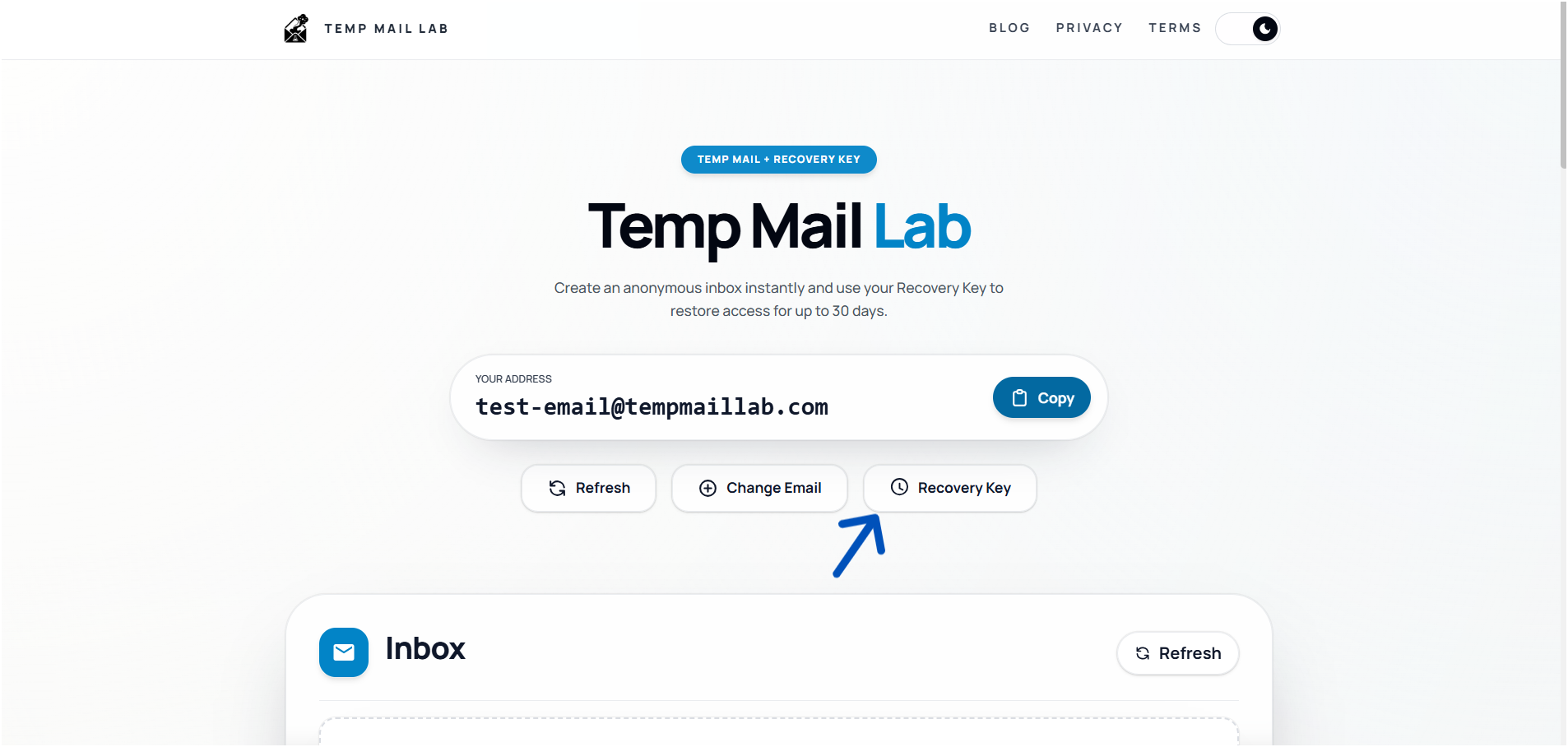
Visit the Temp Mail Lab homepage. The moment the page loads, a unique temporary email address is automatically generated for you—no signup, no forms, no waiting. Your new disposable inbox appears at the top of the screen, ready to receive messages immediately.

Step 2: Secure Your Session

Generate temp email with recovery key I tempmaillab.com

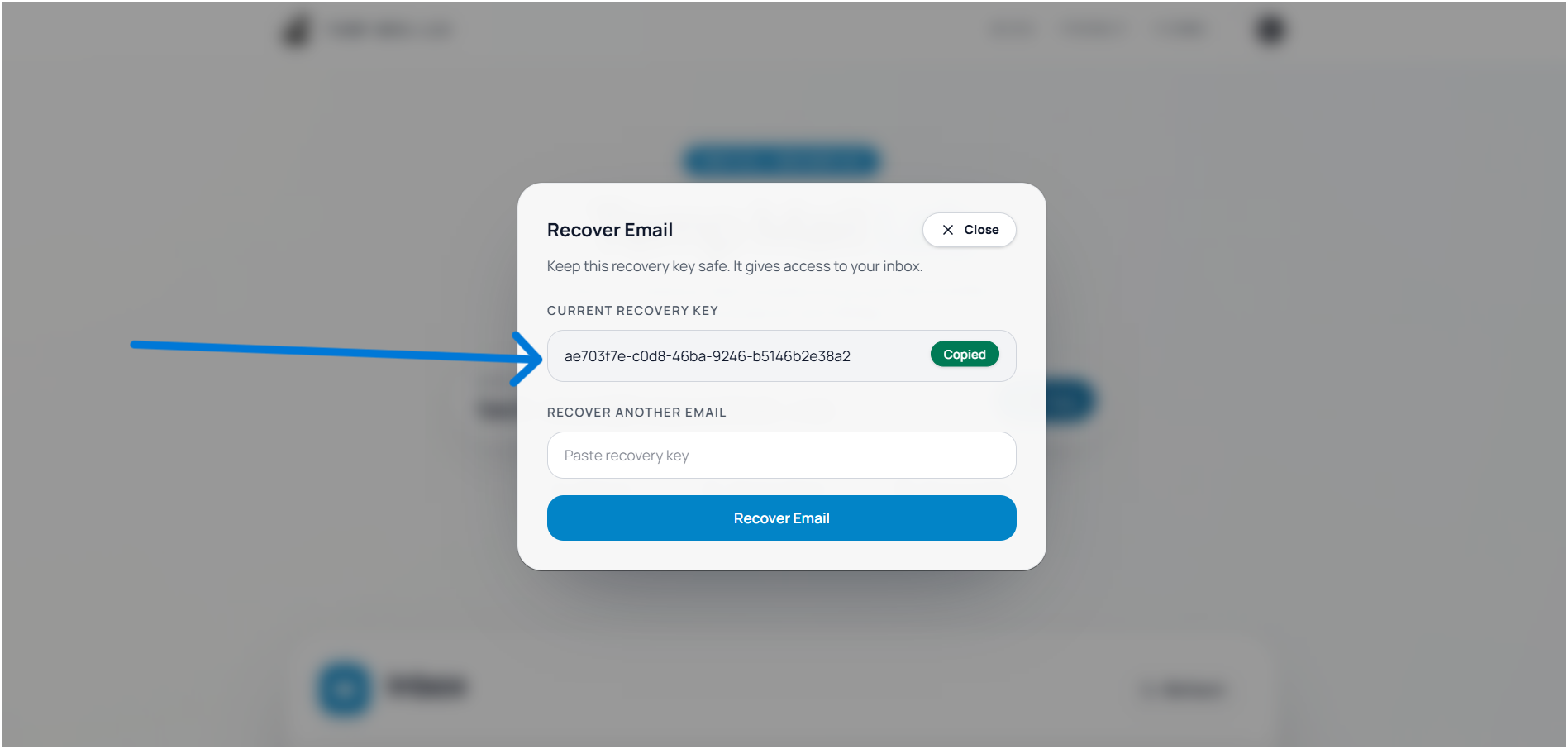
Look for the Recovery Key displayed on your screen—it's a long string of random characters. Copy this key and save it somewhere secure: a password manager, a notes app, or even a text file on your device. This Recovery Key is your only way to restore access to this specific temporary email session, so treat it like a password.

Step 3: Receive Emails in Real-Time

Generate temp email with recovery key and receiving the messages and OTP I tempmaillab.com

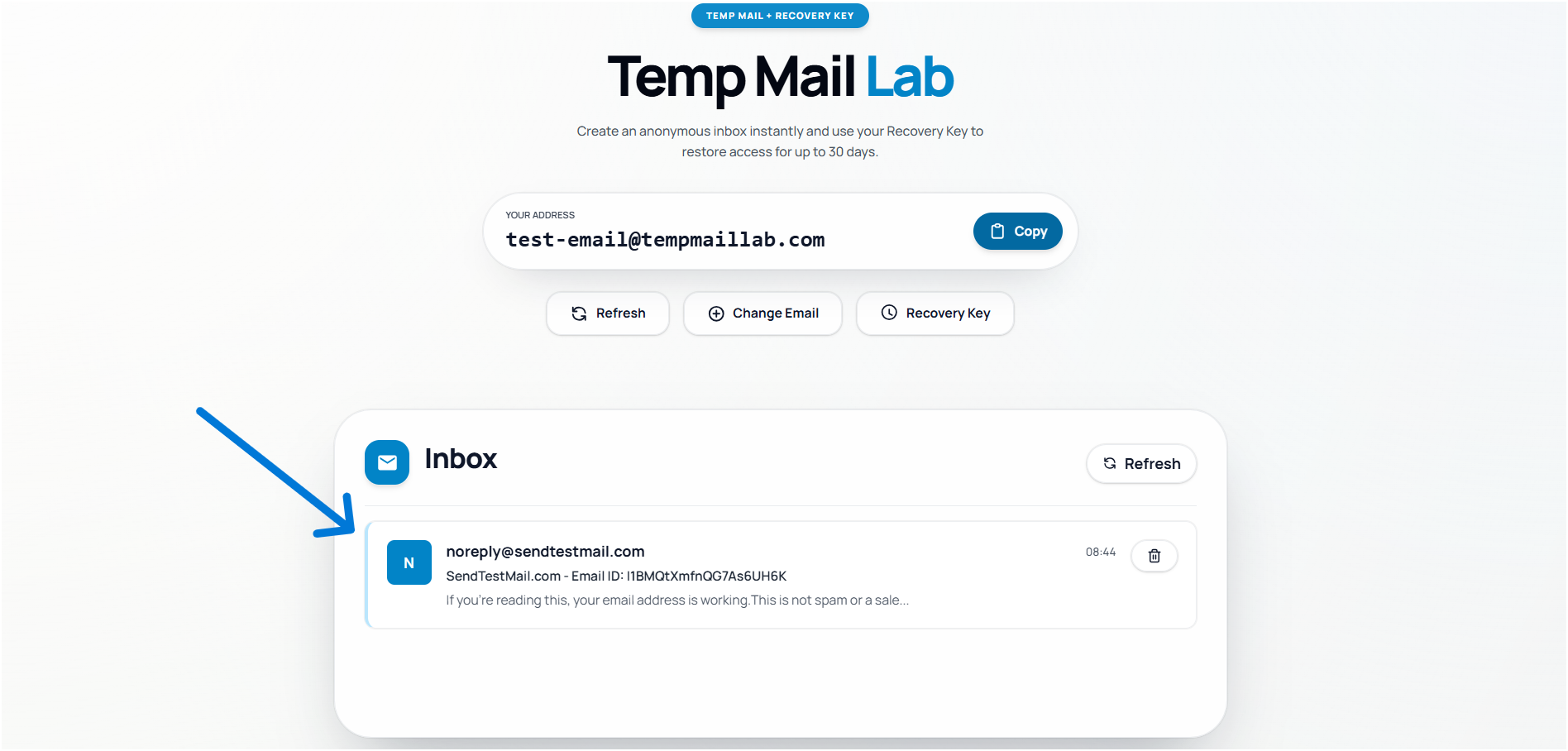
Use your temporary email address wherever you need it—sign up for services, download content, or verify accounts. Your inbox automatically refreshes to display incoming messages in real-time. All emails are sanitized with XSS protection to keep you safe from malicious content.

Step 4: Restore Access Anytime

Need to check your temporary inbox days later from a different device? Simply return to Temp Mail Lab, locate the recovery option, and paste your saved Recovery Key. Your inbox—with all messages from the past 30 days—instantly reappears. No account login, no verification emails, just immediate access.

Quick Comparison: Temp Mail Lab vs. The Rest

Not all temporary email services are created equal. Here's how Temp Mail Lab compares to traditional disposable email providers:

  • Data Retention: Temp Mail Lab keeps your messages for 30 full days, while most competitors delete everything after just 10-60 minutes. This extended retention means you won't miss delayed verification emails or important follow-up messages.
  • Session Restoration: With Temp Mail Lab's Recovery Key system, you can restore your inbox anytime within the 30-day window from any device. Traditional services offer no recovery option—once you close the browser tab, your inbox is lost permanently.
  • Account Required: Like most temporary email services, Temp Mail Lab requires no account creation or personal information. Your privacy remains intact with zero data collection.
  • Content Sanitization: Temp Mail Lab implements robust XSS protection to sanitize all incoming emails, protecting you from malicious scripts and unsafe content. Many competitors offer varying levels of protection, with some providing no sanitization at all, leaving you vulnerable to security risks.

Frequently Asked Questions (FAQ)

How do I perform a temp mail password recovery?

Temporary email doesn't use traditional passwords. Instead, you use your Recovery Key to restore access to your inbox. When you first generate your temporary email address, save the Recovery Key that appears on screen. To recover your session later, simply paste this Recovery Key into the recovery field on the homepage. Your inbox will be restored instantly with all messages from the past 30 days intact.

Is my temporary email truly private if it lasts 30 days?

Absolutely. The 30-day retention period doesn't compromise your anonymity in any way. No personal information is collected during inbox creation, and your Recovery Key is the only credential linking you to your temporary email session. The extended retention simply means your messages remain accessible longer—but they're still completely anonymous and require no account creation or identity verification.

What happens after 30 days?

After 30 days, your temporary email address and all associated messages are permanently deleted from the system. This automatic cleanup ensures your privacy by preventing indefinite data retention. If you need continued access to a service beyond 30 days, you'll need to either transition to a permanent email address or generate a new temporary inbox and update your account information accordingly.

temporary emailemail recoveryprivacydisposable email
Donate
Recover Temporary Email & Keep It 30 Days | tempmaillab.com |...