
Educational purpose: This guide explains the topic in clear language to help readers make safer, informed, and lawful choices.
Tor is often described as a tool for anonymity, but that short label hides several different ideas. Tor is a volunteer-run network of relays. Tor Browser is a modified browser designed to use that network safely. Onion services are sites that stay inside the network instead of connecting through the public web. Bridges help people reach Tor when a direct connection is blocked or easy to recognize.
This distinction matters for ordinary privacy work. Journalists use Tor to protect sources, people use it to reach blocked information, and researchers use it to study how websites behave from different network locations. The same technology can be abused, so responsible use means following the law and treating Tor as a privacy layer with clear limits, not as a license to evade accountability.
How Tor routes traffic through relays
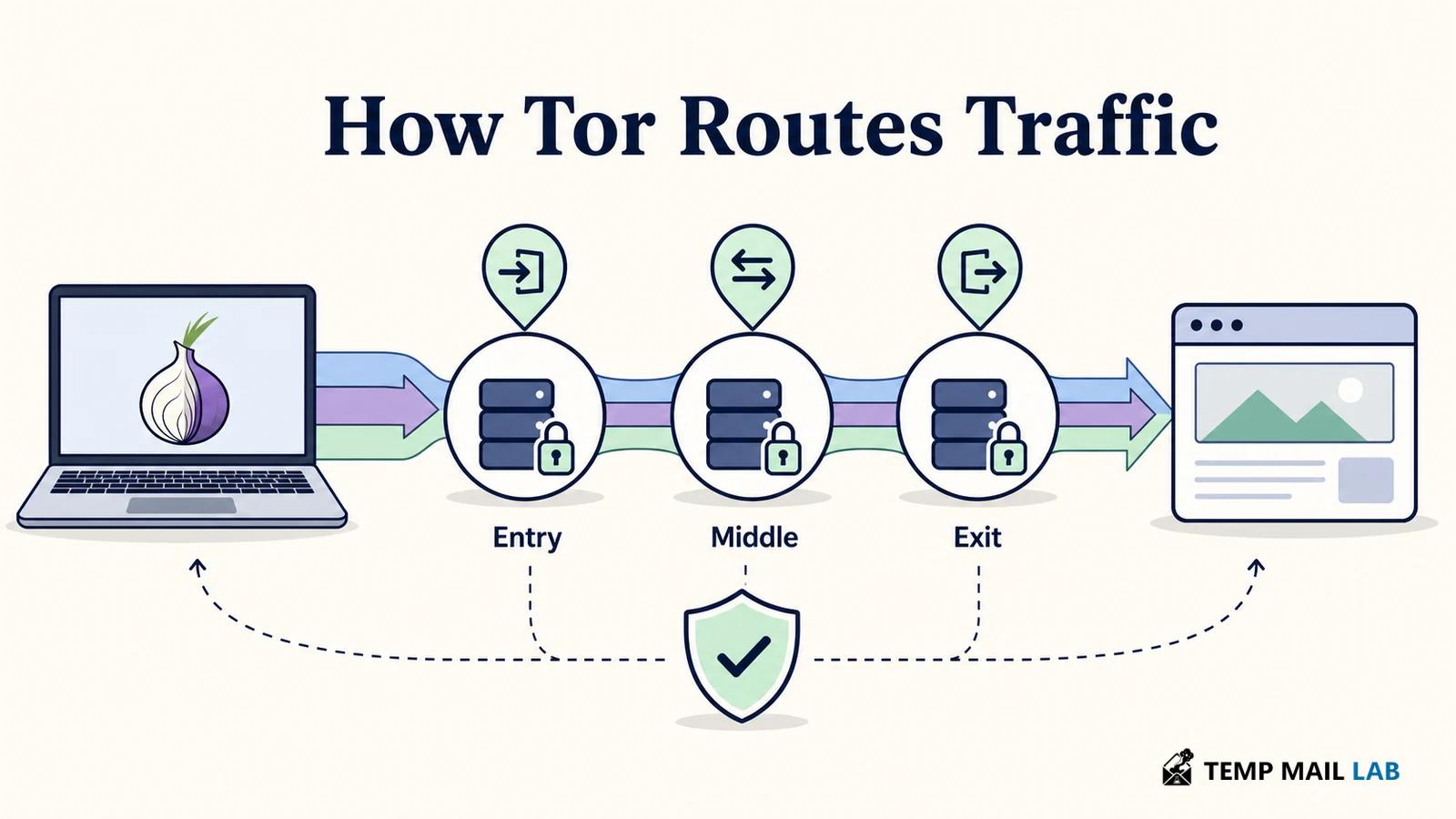
Tor is an overlay network for low-latency TCP applications such as web browsing and messaging. A Tor client learns about available relays from signed directory information, then builds a circuit through several relays. The common web circuit has an entry relay, a middle relay, and an exit relay.
Each relay knows only the neighboring step it needs. The entry relay sees the user's connection but does not learn the final site. The middle relay passes encrypted traffic along. The exit relay connects to an ordinary website and sees the destination, but it does not receive the user's home IP address from the circuit.
This separation is the point of onion routing. The client wraps the traffic in layers of encryption, and each relay removes only the layer meant for it.
Tor is not the same as a proxy list. The client selects paths from a network with published relays, and the design limits how much a single relay can learn. Tor's low-latency design still cannot hide every traffic pattern from a powerful observer who can watch both ends of a connection. The Tor Project describes anonymity as a goal with practical limits, not a guarantee.
What websites and internet providers can see
When you use Tor Browser to visit a normal HTTPS website, the site sees a connection from a Tor exit relay rather than your home address. Your internet provider can see that your device is connecting to the Tor network, but Tor is designed to prevent it from seeing the names and addresses of the websites you visit through that circuit.
HTTPS still matters. Tor encrypts traffic inside the Tor network, but the connection from an exit relay to a non-HTTPS site can be readable on the public internet. HTTPS protects that last leg from network observers and the exit relay. Tor Browser includes HTTPS-Only Mode to prefer encrypted versions of sites, but you should still check the address bar before sending sensitive information.
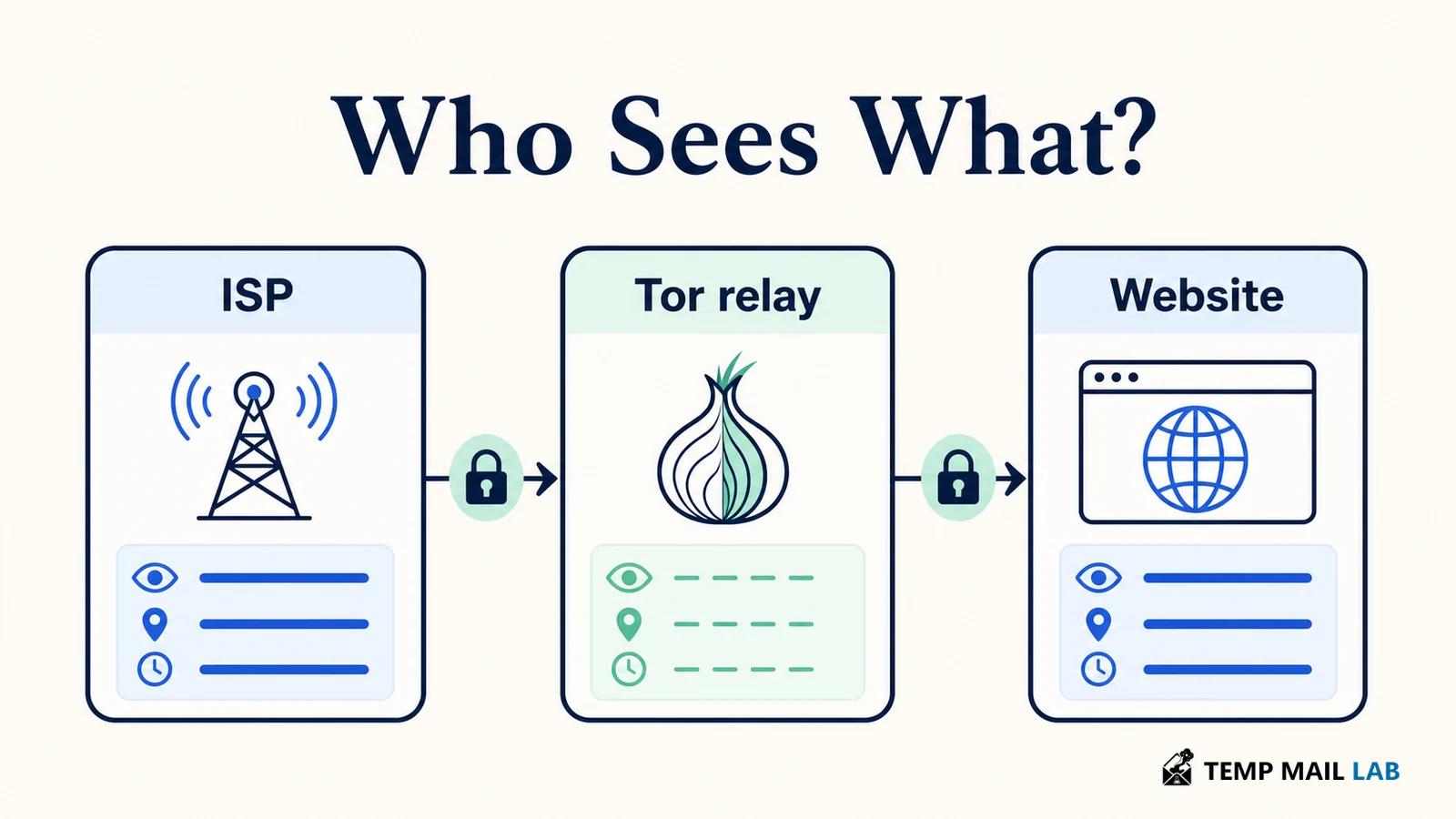
The website can still know who you are if you log in. A Tor circuit can hide where a request came from while the account identifies the person using it. The same is true when a form includes your name, phone number, address, or another unique detail. Tor changes the network path; it does not erase information you choose to provide.
Why Tor Browser is different from a regular browser
You can point other software at a Tor proxy, but the Tor Project warns that this is risky. Applications may make direct connections, leak DNS requests, or handle downloaded files outside the protected path. Tor Browser is based on Firefox ESR and includes changes for privacy, tracking resistance, and fingerprinting defenses.
Fingerprinting is a subtle problem. A website can combine browser version, screen settings, fonts, APIs, and other signals to recognize a device. Tor Browser tries to make users look alike instead of giving every user a unique configuration. Adding an extension, changing unusual settings, or installing a theme can make your copy stand out. The safest default is to use the browser as shipped and avoid extra add-ons.
Tor Browser also clears much of its session data when it closes or when you request a new identity. That does not undo information already sent to a site, and it does not turn a logged-in account into an anonymous one. It is a cleanup feature, not a time machine.
How onion services and .onion addresses work
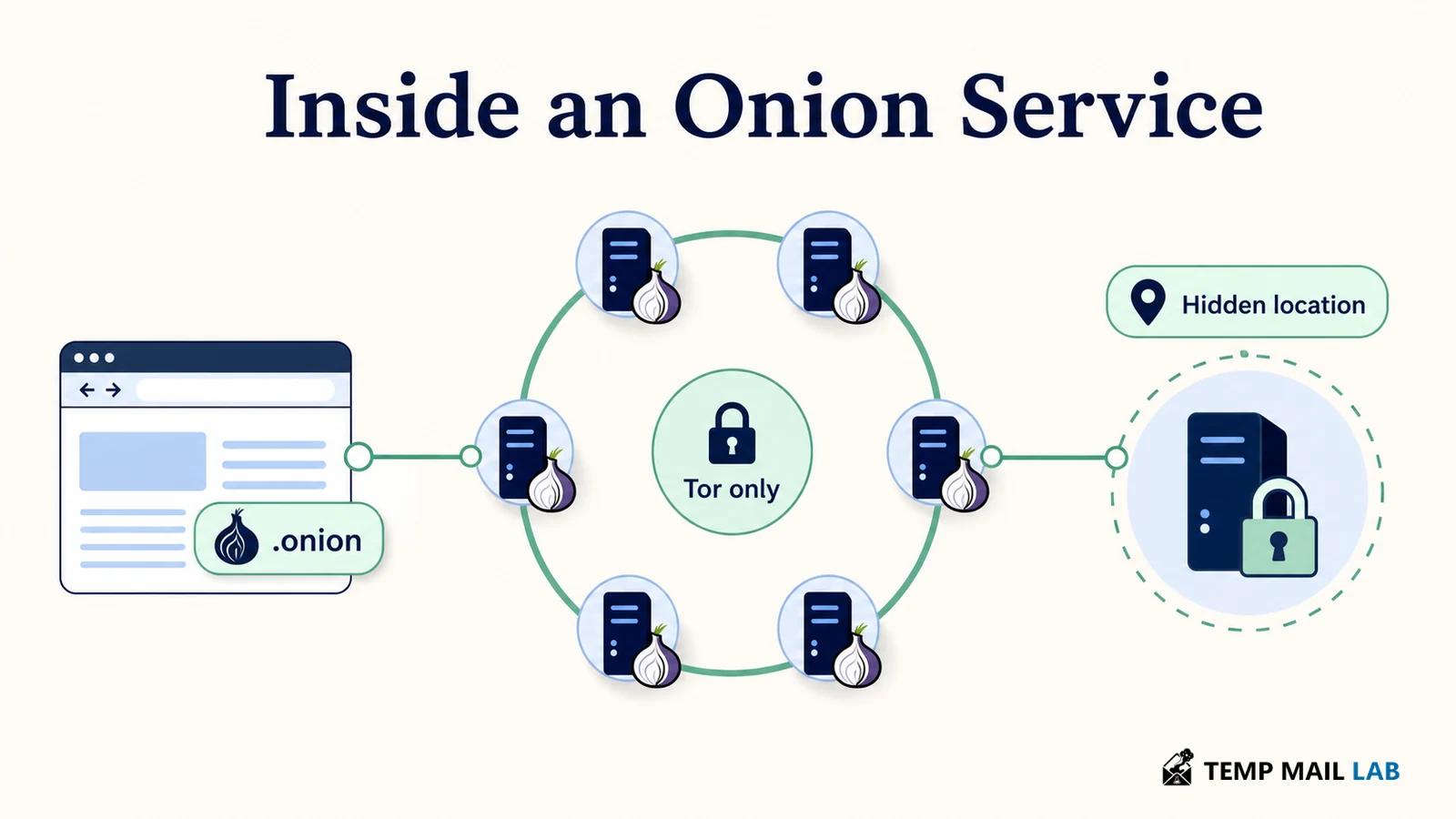
An onion service is a site that is reachable only through Tor. Instead of publishing a normal IP address, the service and its visitors build connections inside the Tor network. The service's location is hidden, and the connection is encrypted within Tor.
A modern onion address has 56 letters and numbers followed by .onion. The address is generated from the service's cryptographic identity, which lets the client detect a mismatch instead of quietly connecting to an impostor.
Onion services support more than anonymous websites. They can provide safer channels for journalists and sources, metadata-reduced chat, file sharing, and an alternative route to a public service. Some organizations publish an onion counterpart to their normal site. Tor Browser can show an Onion-Location suggestion when a website advertises that counterpart.
The address itself is not proof that a service is trustworthy. Verify an onion URL through a source you already trust. Phishing can happen on onion services just as it can on ordinary domains. Never install unknown software or reveal credentials simply because a page uses .onion.
What bridges and relays do
Most Tor users connect to public relays. A bridge is a non-public entry point that helps people reach Tor when a network blocks or lists public relays. Because bridges are not advertised in the same way, they can make blocking more difficult. Bridges do not make a user invulnerable, and they do not remove the need for Tor Browser's other protections.
Relays are operated by volunteers and organizations. An entry relay can see a user's network address, while an exit relay can see the public destination for traffic that is not protected by HTTPS. Neither position alone should reveal the full path.
Exit operators are not a substitute for HTTPS, and running a relay carries operational and legal responsibilities. It is a project for people who have read the Tor community guidance, not a casual toggle.
Mistakes that can expose Tor users
The most damaging mistakes are ordinary ones. Do not use BitTorrent over Tor. Torrent clients can ignore proxy settings or expose an address in tracker requests, and the traffic can harm the network. Do not install random plugins or extensions. They can add a unique fingerprint, create a new attack surface, or bypass the browser's routing.
Be careful with documents downloaded through Tor. A PDF or office file opened in an external application may load an internet resource outside Tor and reveal the normal IP address. If you must inspect a file, use the browser's built-in viewer where possible, or work on a disconnected machine after following a safe document workflow.
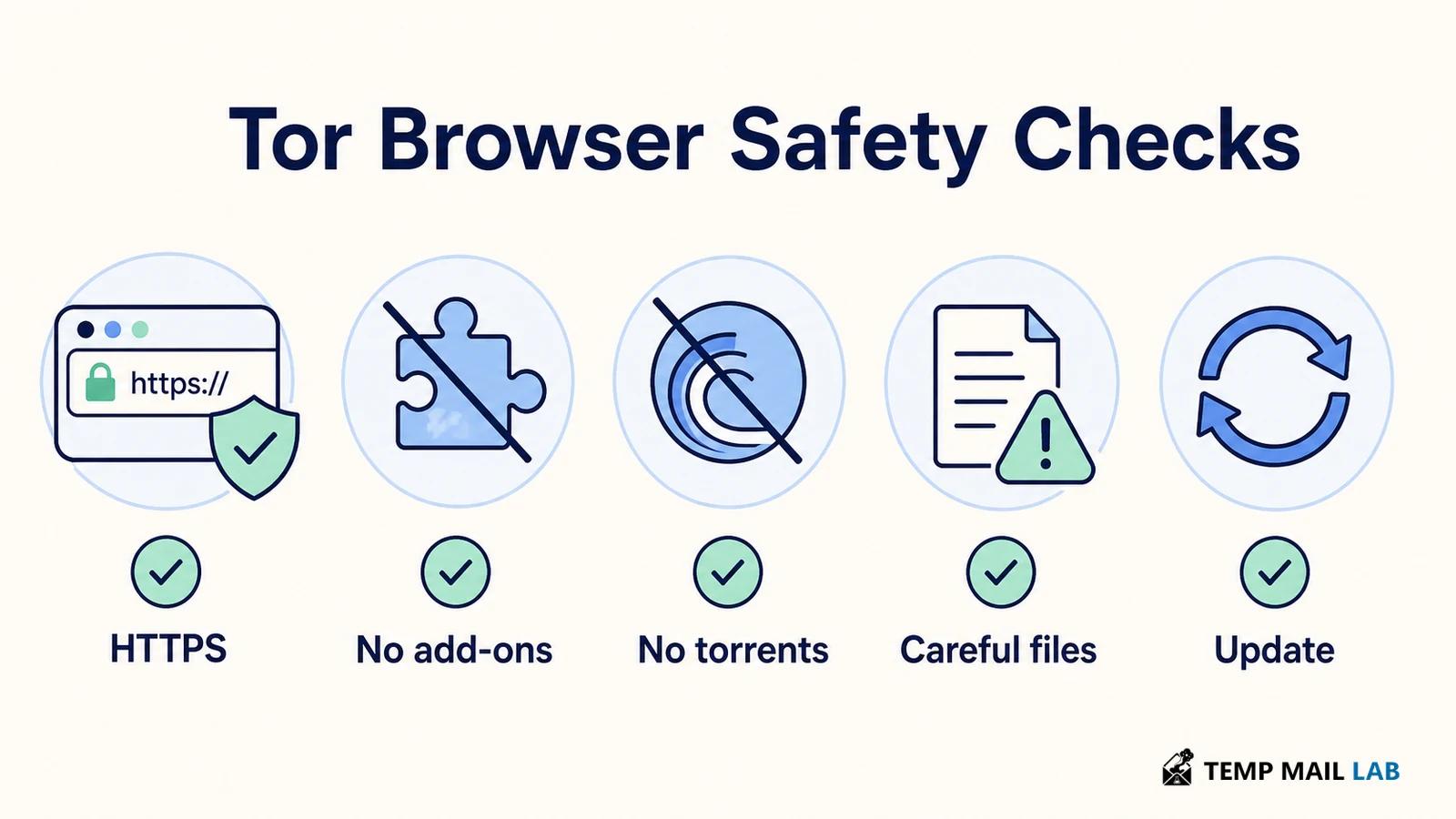
Do not assume a VPN plus Tor is automatically safer. The combination changes which provider can see which connection, but it also adds configuration and trust questions. The Tor Project does not recommend combining them unless you understand the setup and its consequences.
Finally, keep Tor Browser updated. Security fixes matter because an unpatched browser can undermine privacy even when the network path is correct. Use the official Tor Project download channel and verify that updates complete before handling sensitive work.
Tor Project sources and further reading
- Tor Browser overview: circuits, relays, and what websites and internet providers can see.
- Tor Browser safe-use guidance: forms, torrents, plugins, HTTPS, and downloaded documents.
- Onion services: how .onion connections work and what the address does and does not prove.
- Security levels: the browser settings that trade site compatibility for a smaller feature set.
- Tor specifications introduction: the technical foundation for the network.