
Educational purpose: This guide explains the topic in clear language to help readers make safer, informed, and lawful choices.
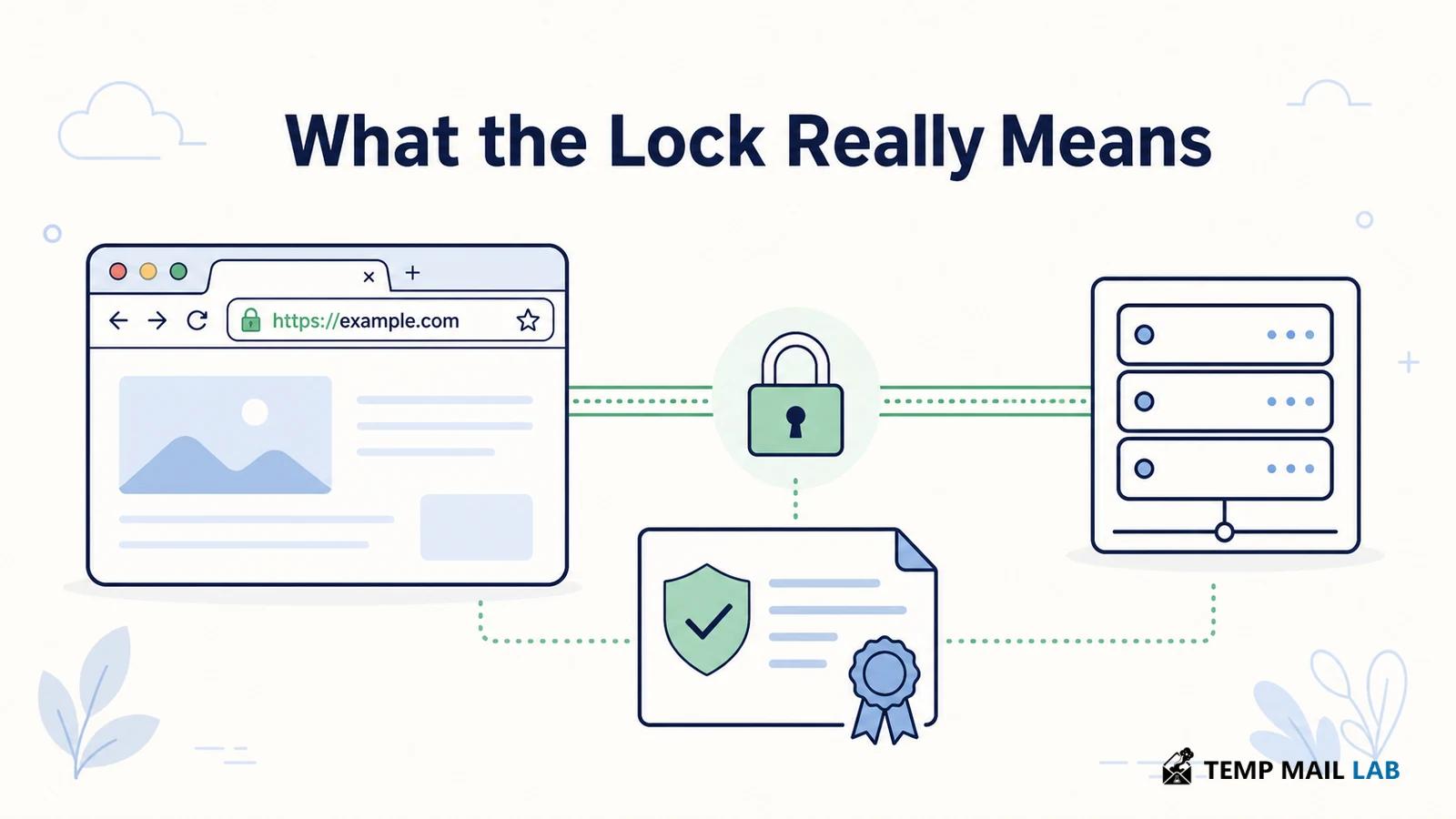
The lock icon beside a website address is easy to read as a promise that the site is safe. It is a narrower promise. A browser shows a secure connection when it has established HTTPS with a certificate it can validate.
That usually means the connection is encrypted, the traffic has integrity protection, and the certificate matches the domain the browser requested. It does not prove that the business is honest, that the page is free of malware, or that you reached the company you intended if you typed a misleading address.
How HTTPS uses TLS to protect a connection
HTTPS is HTTP sent through Transport Layer Security, usually shortened to TLS. SSL is the older name that remains in everyday speech, but modern browsers use TLS rather than the obsolete SSL protocols. TLS creates a protected channel between a client, such as a browser, and a server. The protocol is designed to resist eavesdropping, tampering, and message forgery, as RFC 9846 explains for TLS 1.3.
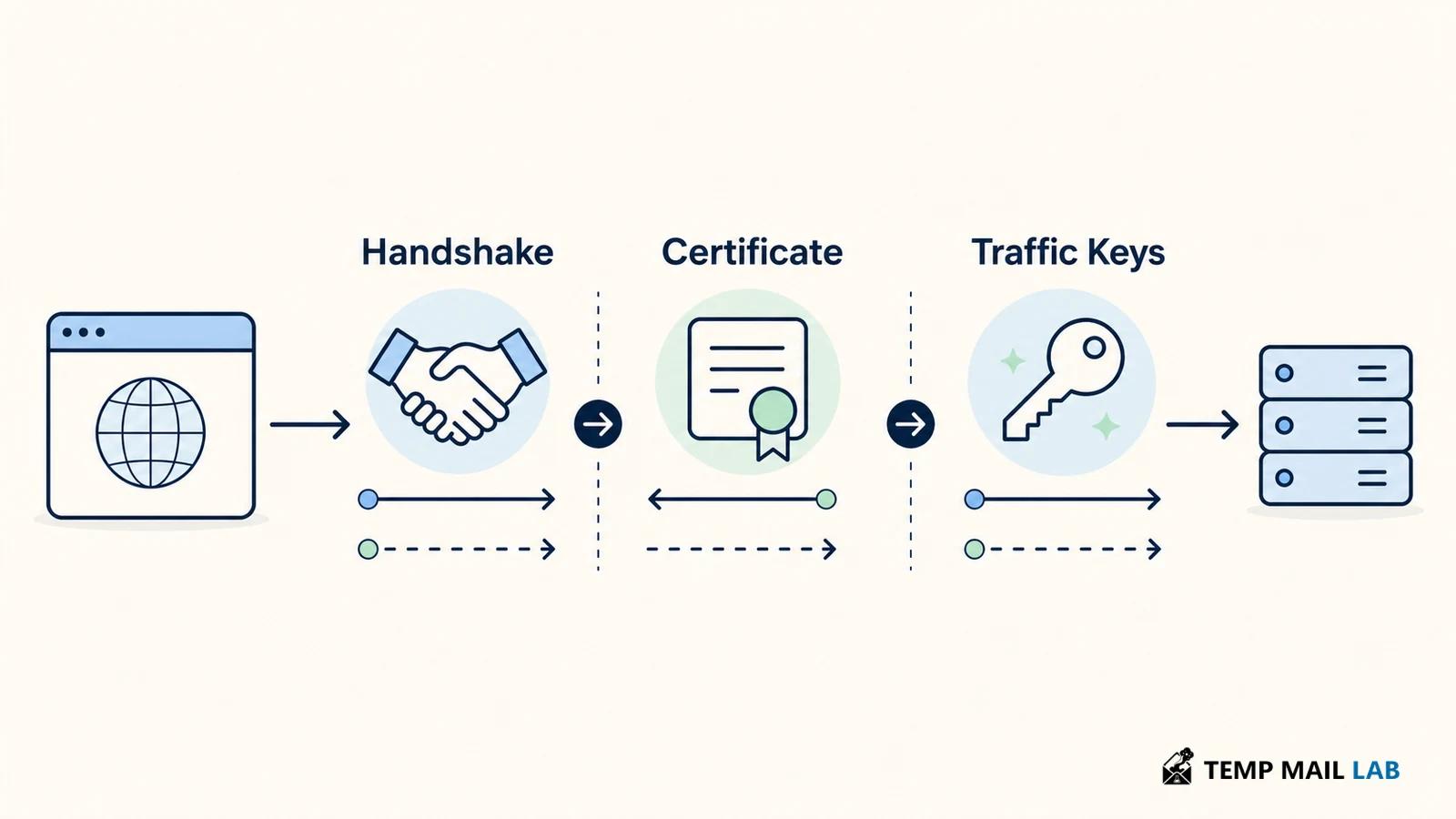
The connection starts with a handshake. The browser sends a ClientHello with the protocol versions, cryptographic options, and key exchange information it supports. The server chooses compatible parameters and sends its response. When certificate authentication is used, the server sends a certificate and a CertificateVerify message. The certificate binds the server's public key to a domain name through a signature from a certificate authority.
The handshake does two different jobs. It authenticates the server and establishes fresh traffic keys. After that point, application data travels as protected records. TLS 1.3 uses authenticated encryption with associated data for these records. That means the browser can detect changes as well as keep the content unreadable to someone watching the connection.
What an SSL or TLS certificate contains
A website certificate is a signed data structure. It identifies the subject, lists the names the certificate covers, carries a public key, names the issuing authority, and includes validity information and usage constraints. The exact fields vary, but the browser needs enough information to decide whether this certificate is appropriate for this connection.
The domain name is the part most visitors encounter. If you visit example.com, the browser checks that the requested hostname appears in the certificate's subject alternative name list. A certificate for another domain is not a match, even if the server uses the same IP address. Wildcard names cover a defined set of subdomains, but a wildcard for *.example.com does not automatically cover example.com itself or a deeper name such as a.b.example.com.
The certificate also contains a public key. The matching private key stays on the server. During the handshake, the server proves that it controls that private key. The browser never needs to receive the private key, and a certificate alone does not grant someone the ability to impersonate the site.
How certificate authorities create a trust chain
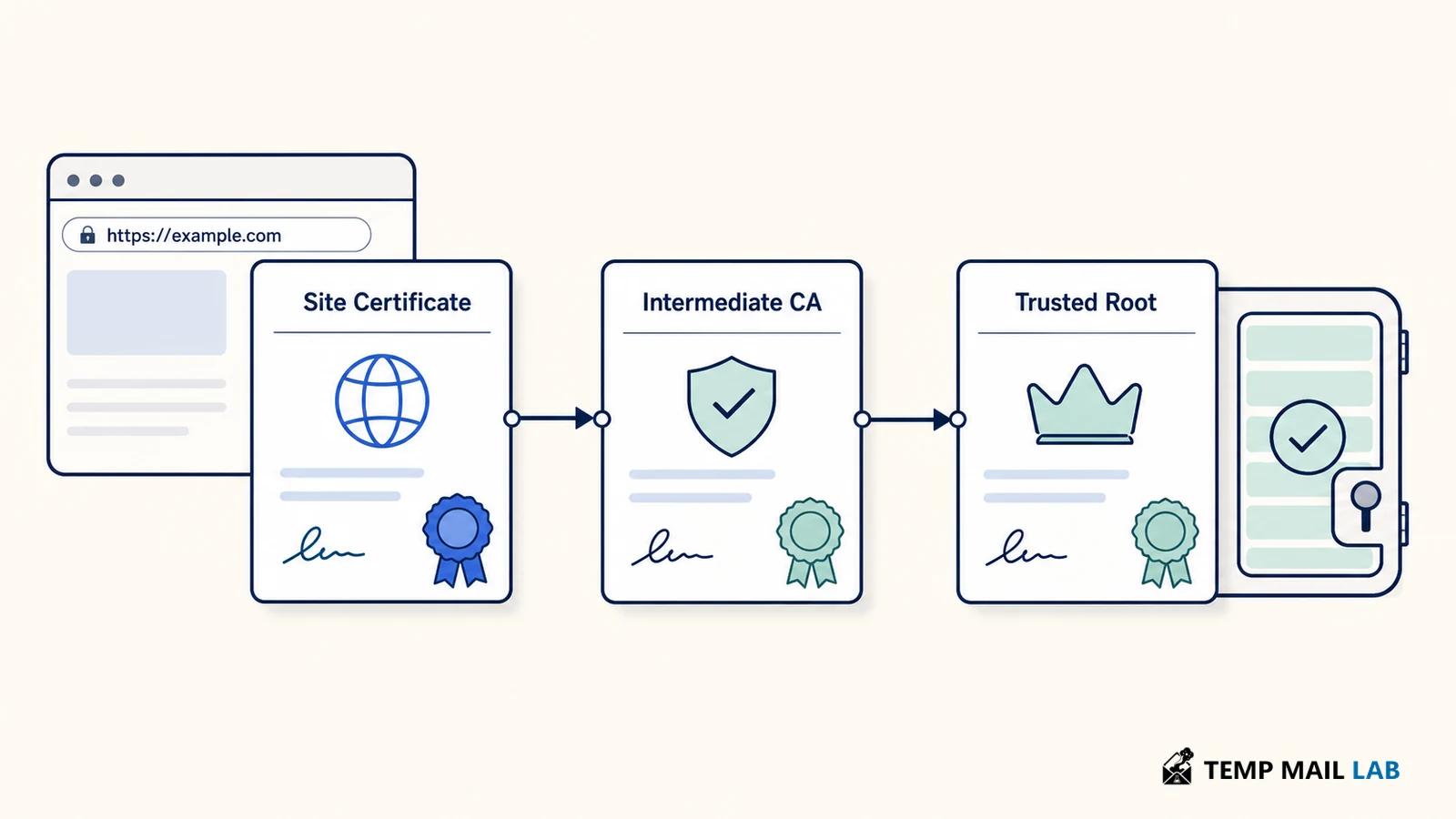
Browsers ship with a set of trusted root certificates. A certificate authority, or CA, signs certificates directly or through an intermediate CA. The server normally sends its site certificate and the intermediate certificates needed to build a chain back to a trusted root. The browser validates each signature, checks the hostname, checks the validity period, and applies its own policy for key usage and revocation information.
This is a trust decision, not a global endorsement. The browser trusts a certificate because it chains to a root in the browser or operating system trust store and meets the browser's rules. The CA's job is to verify control of the domain or, for some certificate types, additional organizational details before issuing. Let's Encrypt describes the common ACME flow: an automated client proves that the web server controls a domain, and the CA can then issue a browser-trusted certificate.
Certificate Transparency adds another layer of oversight. Publicly trusted certificates are recorded in append-only logs that can be inspected for unexpected issuance. Logging does not make a certificate truthful by itself, but it gives browser vendors, site owners, and security teams a way to notice certificates that should not exist.
What the browser lock icon confirms
The exact icon and wording vary by browser, but the basic signal is similar. A normal HTTPS indicator means the browser completed TLS validation for the current connection. You can open the site information panel to inspect the certificate issuer, connection details, and security status. Firefox's support documentation describes the panel as a place to check whether the connection is fully secure and to see certificate information.
The lock usually supports three practical conclusions:
- Data sent between your browser and the server is protected by the negotiated TLS connection.
- The certificate matched the hostname you contacted and passed the browser's trust checks.
- The connection has integrity protection, so silent changes to TLS-protected traffic should be detected.
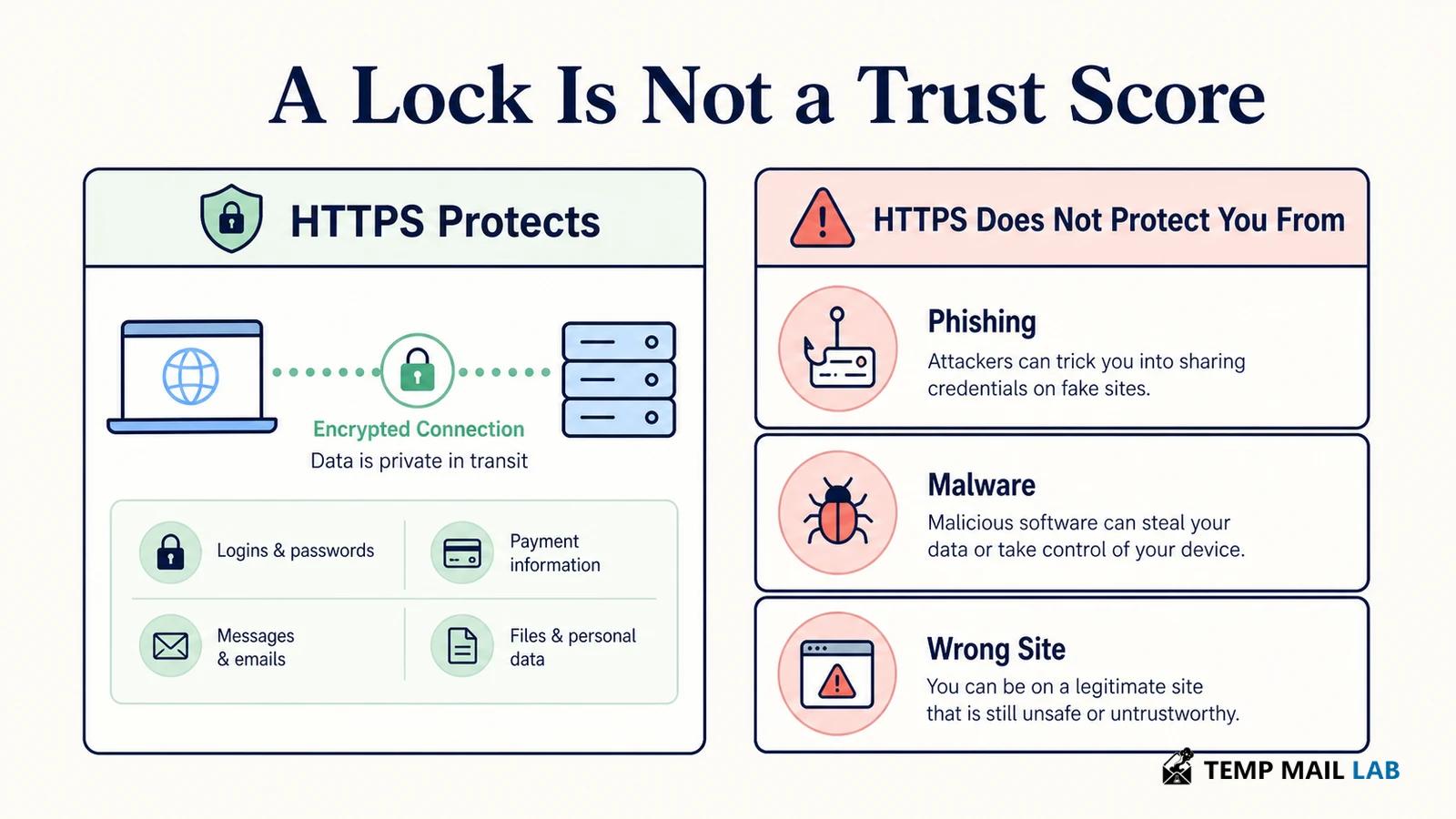
Those conclusions apply to the connection, not every object on the page. A site can load insecure resources, expose a dangerous download, or contain a convincing phishing page while still using HTTPS. Browsers block or restrict many forms of mixed content, but the right response to a warning is to investigate the address and the page, not to treat the lock as a safety rating.
What HTTPS does not guarantee
HTTPS does not tell you who operates a site in the everyday sense. Domain validation can show that a party controls a domain without proving that the party is a bank, a government office, or a reputable seller. A criminal can obtain a valid certificate for a lookalike domain and use HTTPS on a phishing page. The encryption is real, but it protects the conversation with the wrong destination.
HTTPS also does not make the server trustworthy. The server can log requests, store form submissions, serve malicious code, or mishandle your account after the TLS session ends. TLS protects the path between endpoints. It cannot repair poor access control, a compromised server, or a user who sends sensitive information to the wrong site.
There are limits at the edges of the connection too. A network observer may still learn that you connected to a host, when you connected, and how much data moved. DNS lookups and other metadata can be exposed unless the connection uses additional protections. HTTPS hides the contents of the request and response from ordinary network eavesdroppers, but it does not make browsing invisible.
Expiration and revocation limit certificate trust
Certificates are valid for a defined period. Shorter lifetimes limit how long a forgotten or compromised certificate can remain useful and encourage operators to automate renewal. A renewed certificate may contain a new public key or updated details, but renewal does not by itself change the site's identity, application security, or privacy practices.
Revocation is used when a certificate should stop being trusted before its expiry date, such as after private-key exposure or incorrect issuance. Browsers apply their own revocation policies and may use several mechanisms, so site operators should replace a compromised certificate and key promptly rather than assume that every client will block the old certificate in the same way.
What common certificate warnings mean
Certificate warnings are worth taking seriously because they usually mean the browser could not confirm one of the required properties. A hostname mismatch can indicate a configuration error or a connection to an unexpected server. An expired certificate may mean the operator missed renewal. An unknown issuer can occur with a private network, a self-signed certificate, or an untrusted CA.
Do not bypass a warning just to make a page load. First check the address for spelling mistakes, confirm that your device's clock is correct, and try the site's known official address. On a work or school network, an administrator may intentionally use a private CA, but you should verify that explanation through a trusted channel. Never install a certificate because a pop-up tells you to do so.
The lock icon confirms the connection, not the website
The lock icon represents a technical result: your browser negotiated HTTPS and accepted a certificate for the hostname. That result matters because it protects the connection from common interception and tampering. It leaves other questions open.
You still need to verify where a link leads, decide whether the site deserves your information, and pay attention to browser warnings. The lock is evidence about the connection, not a verdict about the company behind the page.
Technical sources
Technical behavior follows RFC 9846 on TLS 1.3; certificate authorities and trust chains are described by MDN's certificate authority glossary. See Let's Encrypt's ACME explanation, MDN's Certificate Transparency overview, and Mozilla's site information guide for browser-facing details.