Back to BlogTemp Mail Lab Journal

What information can websites collect when you visit them?

TempMailLab TeamJune 10, 20264 min read
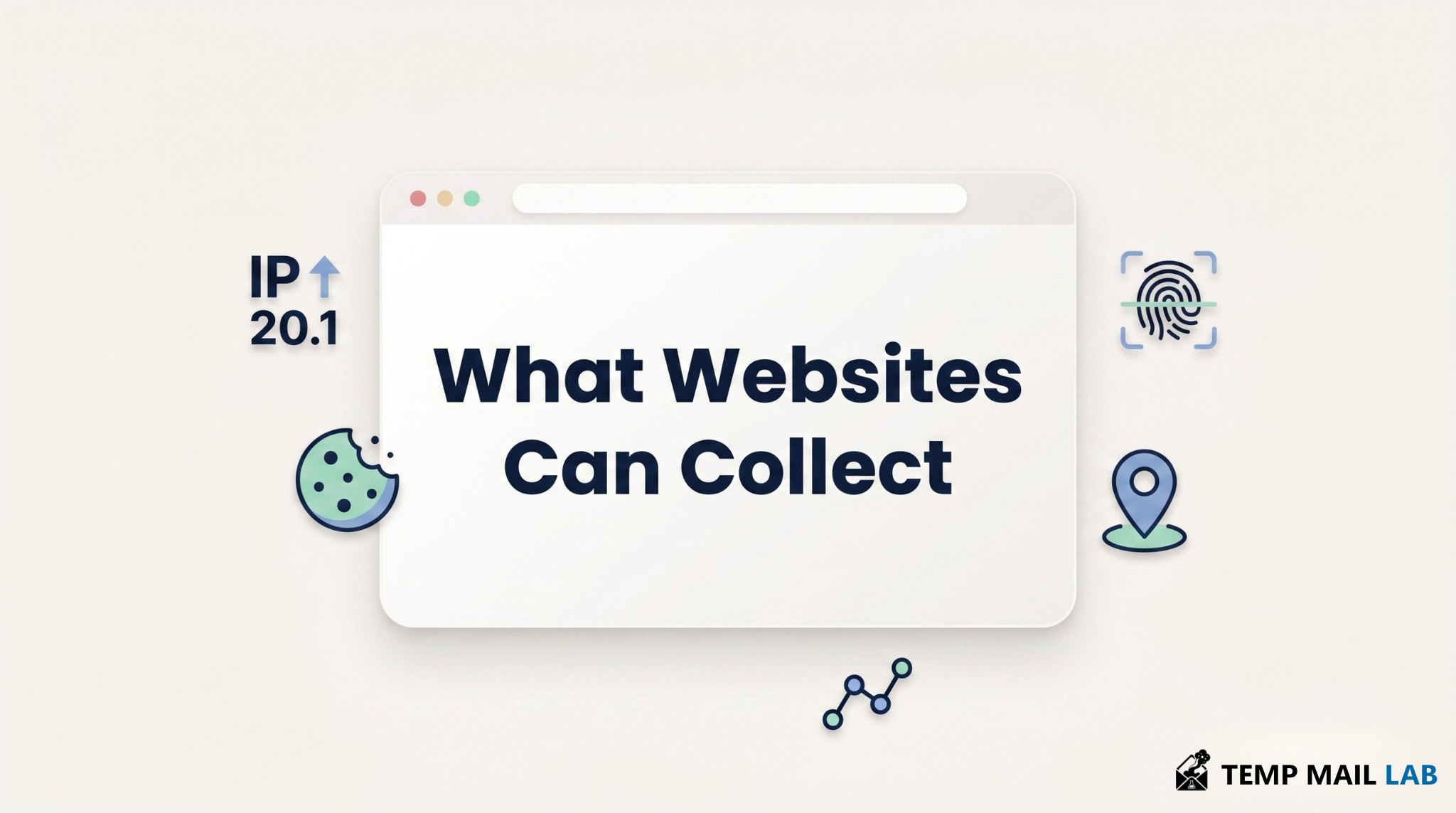
Website data collection illustration showing IP address, cookies, browser details, location, and tracking signals

Learn what websites can collect when you visit them, including your IP address, browser details, cookies, fingerprinting, and incognito limits.

When you open a website, the exchange of information starts before you click a button or type anything into a form. It begins as soon as the page loads in your browser.

A website needs some data to work properly. It needs to know where to send the page, what kind of device is opening it, how large the screen is, and what the browser can support. These details are not always dangerous on their own. They become more sensitive when they are stored, combined, shared, or used to recognize the same visitor later.

This article explains what a website can learn when you visit it, how cookies and browser fingerprinting work, and why incognito mode does not make a visit completely private.

What data is shared when a website loads?

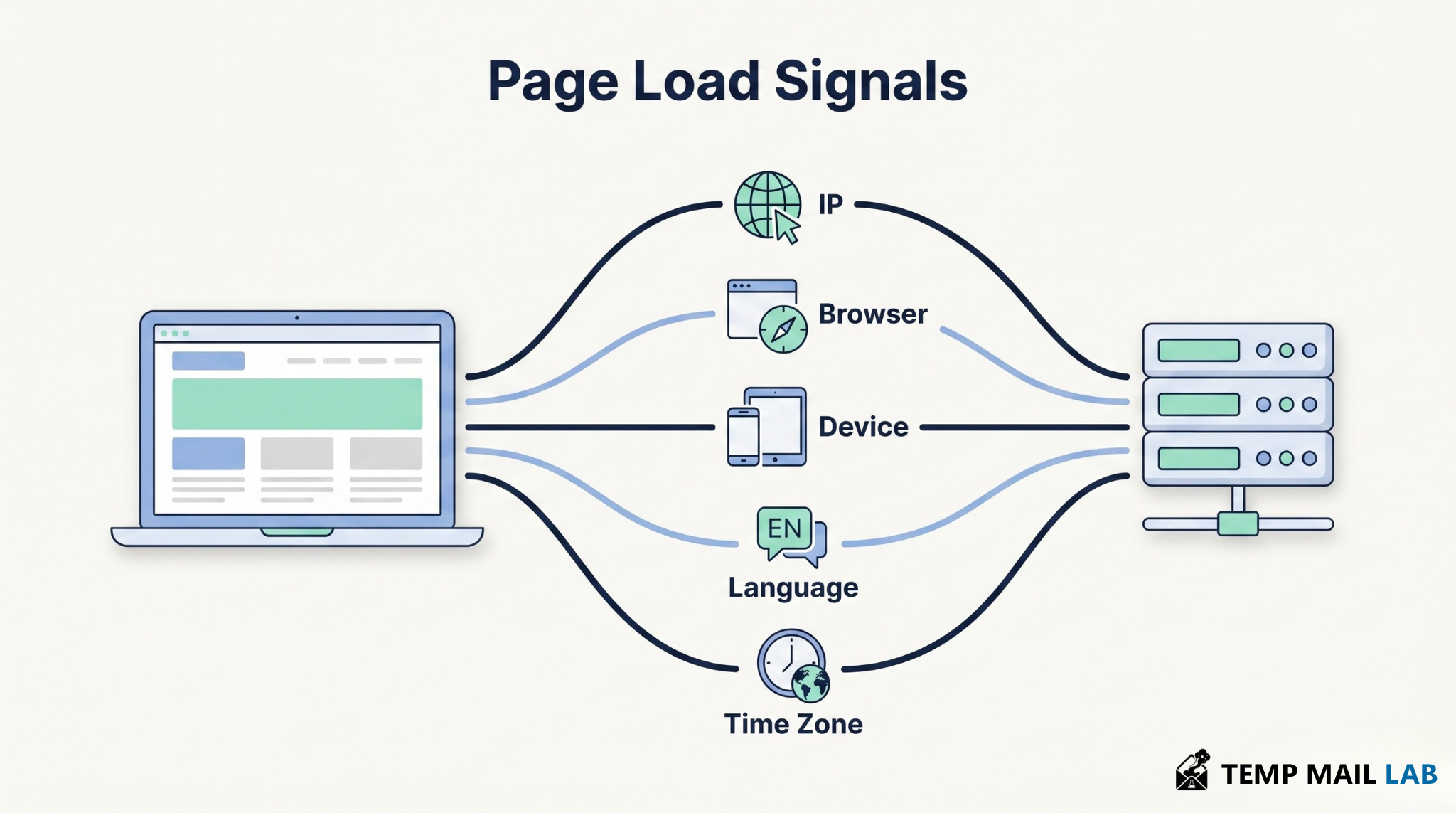
Diagram showing information shared between a browser and a website server including IP address, browser type, device, language, and time zone

When you open a website, your browser sends a request to the website's server. That request includes technical details that help the server send back the right page and display it correctly.

The website may receive your IP address, browser type, operating system, screen size, language, time zone, and sometimes the page you came from. If the website uses analytics tools, advertising scripts, or embedded services, some of this data may also be sent to third parties loaded inside the page.

This does not mean the website instantly knows your name or real identity. It means the visit is not fully anonymous. A normal page load already reveals several technical signals.

What can a website learn from your IP address?

Your IP address is one of the clearest pieces of data a website can see. Without it, the server would not know where to send the page.

An IP address can often reveal an approximate location. This usually means country, region, city, and internet service provider. It does not normally reveal your exact home address by itself.

For example, a website may detect that a visit appears to come from Dubai, Cairo, London, or New York. That estimate can be wrong. Mobile networks, VPNs, company networks, and public Wi-Fi can make the visible location different from your real location.

Websites also use IP addresses for security reasons. They may log IPs to block attacks, reduce spam, detect fraud, or troubleshoot technical errors.

What can your browser and device reveal?

Your browser shares information so the website can display correctly. A site shown on a phone needs a different layout from the same site shown on a desktop screen.

A website may detect your browser name, browser version, operating system, device type, screen size, language, time zone, JavaScript support, and some graphics or audio capabilities.

Each detail may look harmless by itself. The issue is what happens when many details are combined. Your browser type alone is not unique. Your screen size alone is not unique. Your time zone alone is not unique. But the full combination can become much more specific.

That combination is one reason browser fingerprinting exists.

What are cookies?

Illustration explaining first-party and third-party cookies stored in a browser to remember visitor preferences and activity

Cookies are small pieces of data that a website stores in your browser. When you visit the same website again, your browser can send those cookies back.

Cookies are not always bad. Many websites need them to work properly. They can keep you signed in, remember your language choice, save items in a cart, store preferences, or recognize that the same browser has visited before.

The privacy concern starts when cookies are used for tracking.

There are two common types. First-party cookies come from the website you are visiting. Third-party cookies come from another domain loaded inside that website, such as an advertising network or analytics service.

Third-party cookies are more sensitive because they can help companies recognize the same browser across different websites. If the same advertising company appears on many sites, it may connect those visits into a larger browsing profile.

How can websites track without cookies?

Cookies are only one tracking method. Even if you reject cookies, other data collection methods may still exist.

Websites may use tracking pixels, analytics scripts, server logs, local storage, session storage, URL parameters, IP address patterns, login activity, and third-party scripts.

A tracking pixel is usually a tiny invisible request that tells a server something happened. A page loaded. An ad appeared. A visitor reached a certain step. A campaign brought traffic.

Analytics scripts can measure which pages you visit, how long you stay, how far you scroll, what you click, and how you interact with the page.

Some of this is useful. Website owners use analytics to find broken pages, improve design, and understand performance. But the same tools can also be used for profiling and advertising.

That is why cookie banners can be misleading. Pressing "reject" may reduce some tracking, but it does not automatically stop every form of data collection.

What is browser fingerprinting?

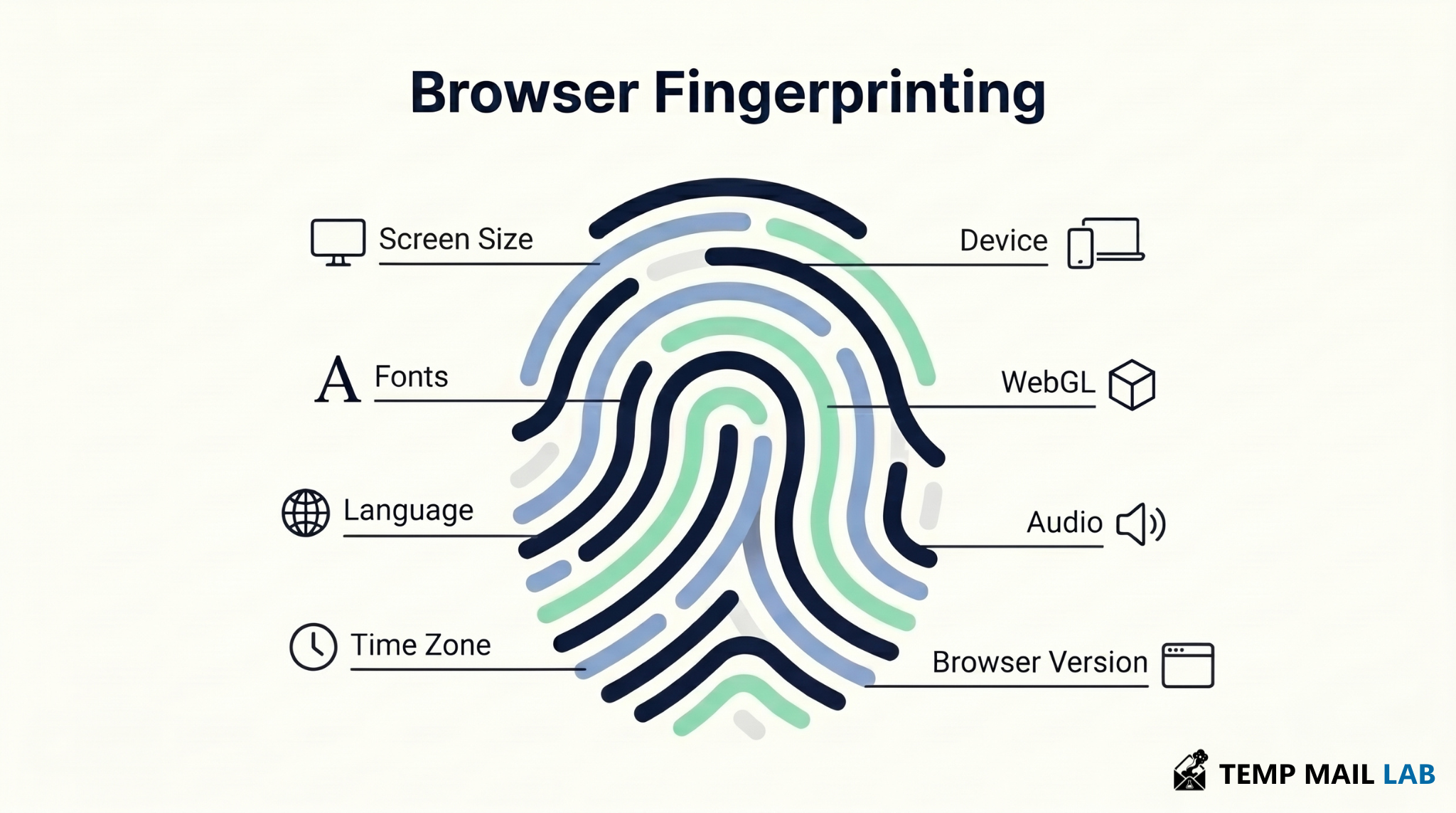
Browser fingerprinting illustration showing how device and browser characteristics can be combined to identify a visitor

Browser fingerprinting is a tracking method that collects many small details about your browser and device, then combines them to recognize the same browser later.

Unlike cookies, fingerprinting does not always need to store a file in your browser. It relies on the information your browser reveals when it loads a page.

A fingerprint may use browser version, operating system, screen size, language, time zone, fonts, graphics behavior, canvas behavior, WebGL behavior, audio behavior, hardware hints, and browser settings.

One detail is rarely enough. Millions of people may use the same browser or the same language setting. But the full set of signals can become uncommon.

This makes browser fingerprinting harder to control than cookies. You can delete cookies, but if your browser keeps showing the same signals, a fingerprint can be rebuilt.

Does incognito mode stop websites from seeing this data?

No. Incognito mode does not make you invisible to websites.

Incognito mainly protects privacy on your own device. It can stop your browser from saving normal history, cookies, and site data after you close the private window.

That is useful when using a shared computer or when you want a fresh browsing session. But websites can still receive your IP address during the visit. They can still run scripts. They can still detect browser and device signals.

If you sign in to an account while using incognito mode, that website can still know it is you.

Incognito is useful for local privacy. It is not a full anonymity tool.

Do ad blockers and privacy browsers help?

Yes, but they do not solve everything.

Ad blockers can reduce tracking by blocking known advertising networks, tracking pixels, analytics scripts, and third-party requests. A good content blocker can also make pages faster and cleaner.

But ad blockers may miss new trackers. They may not stop first-party tracking. They may not fully prevent browser fingerprinting. Some websites may also break when blocking is too aggressive.

Privacy-focused browsers can help too. Some browsers block third-party cookies, reduce tracking, or make browser fingerprints less unique. Tor Browser goes further by trying to make users look more similar to each other, which can reduce fingerprint uniqueness.

Browser choice matters because it affects which cookies are allowed, which scripts are blocked, and how much tracking protection exists by default.

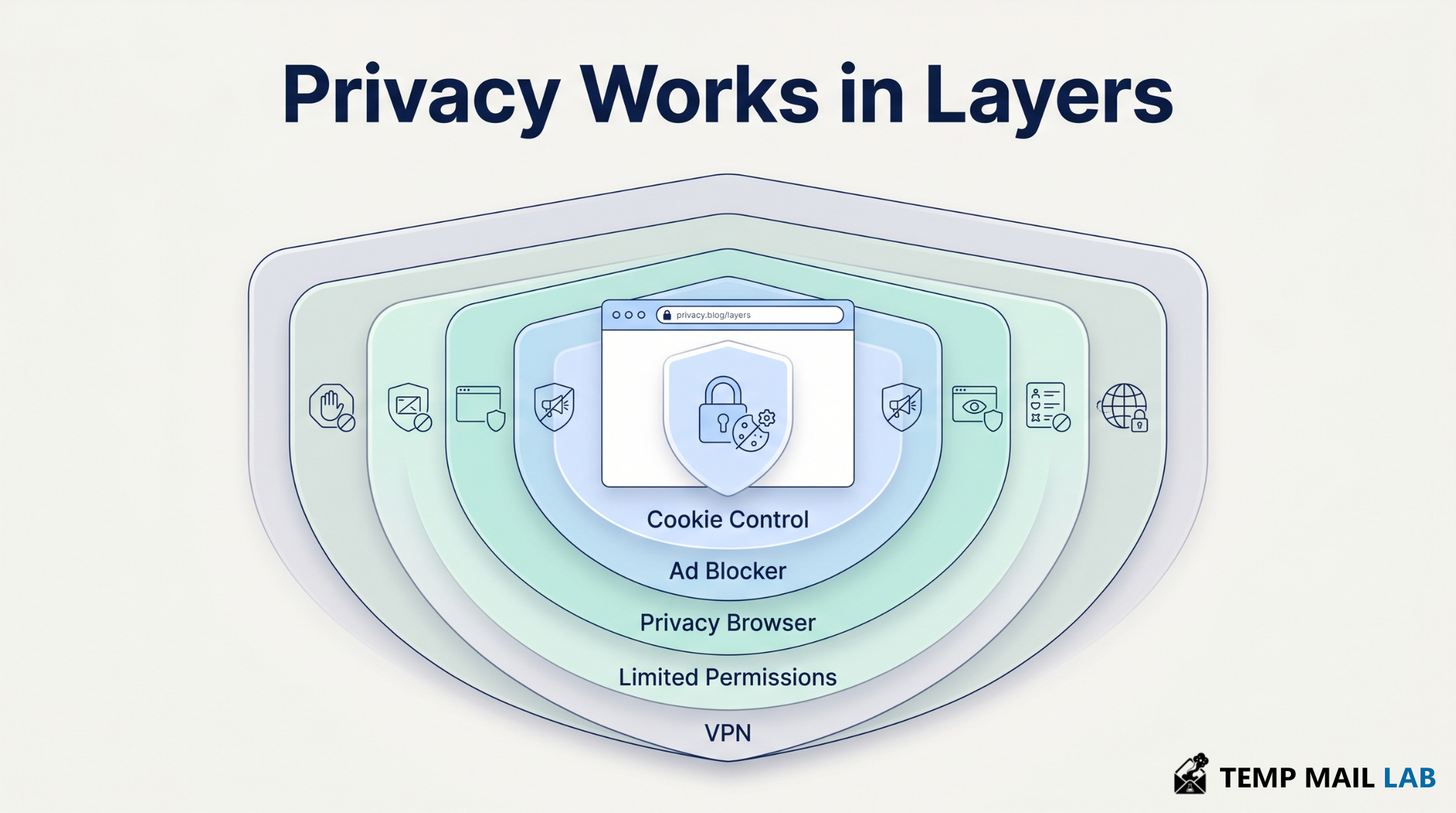
Privacy protection illustration showing layered defenses including cookie controls, ad blockers, privacy browsers, VPNs, and permission management

How can you reduce what websites collect?

You do not need to disappear from the internet. A realistic goal is to reduce unnecessary tracking.

Start with your browser settings. Block third-party cookies if possible. Review site permissions for location, camera, microphone, and notifications. Only allow those permissions when the website truly needs them.

Use a trusted content blocker. Keep your browser updated. Avoid signing in to unnecessary accounts while browsing unrelated websites.

A VPN can help hide your real network IP address from websites, but it does not erase browser fingerprinting. Incognito mode can reduce what is saved on your device, but it does not hide you from websites. Ad blockers reduce many trackers, but they are not a complete shield.

Privacy works better as a set of layers than as one single tool.

Final takeaway

Any website can collect information about your visit as soon as it loads. Some of that information is needed for the site to work, such as your IP address, device type, browser type, screen size, and language. Other data may be used for analytics, advertising, tracking, or recognizing the same browser later.

The risk is not always one piece of data. The bigger issue is what happens when many small signals are saved and connected.

A website visit is not completely anonymous by default. Understanding what your browser reveals helps you make better privacy choices.

Online PrivacyWeb TrackingBrowser Privacy
Donate