
Educational purpose: This guide explains the topic in clear language to help readers make safer, informed, and lawful choices.
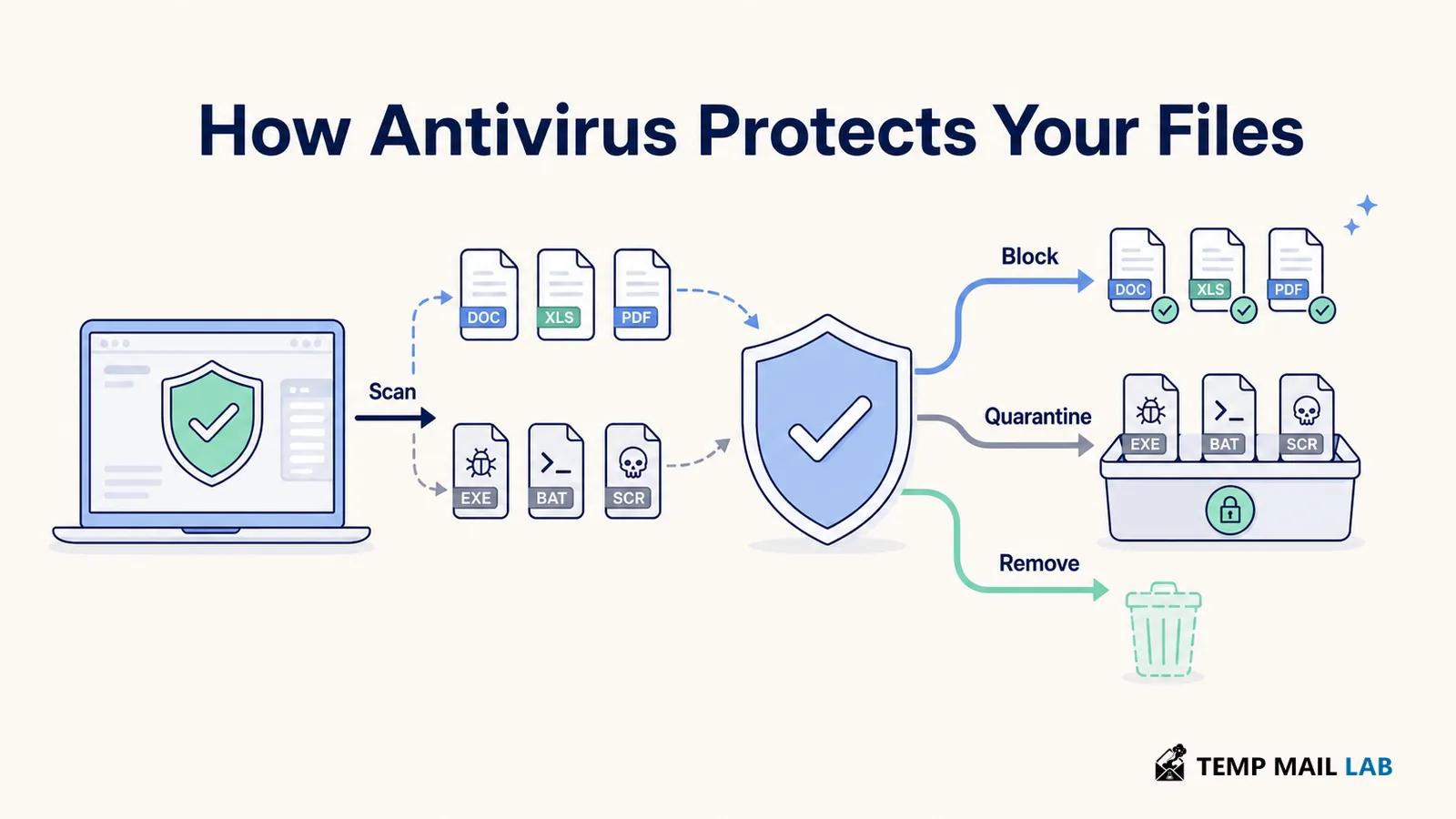
Antivirus software is designed to find, block, isolate, and remove many forms of malicious code before they can damage your device or expose your files. Modern security tools look beyond traditional viruses. They may also detect trojans, spyware, ransomware, unsafe downloads, and suspicious behavior. The protection is useful, but it is not a guarantee that every attack will fail. A safe setup still depends on updates, careful decisions, limited permissions, and reliable backups.
What antivirus software actually does
The terms antivirus and anti-malware are often used interchangeably. Antivirus software is a program that checks files, applications, messages, and system activity for signs of malicious code. NIST's malware definition covers software or firmware intended to carry out an unauthorized process that harms the confidentiality, integrity, or availability of a system. That includes familiar examples such as viruses, worms, trojans, spyware, and some forms of adware.
The name antivirus comes from an older threat category, but most current products cover a wider range of malware. Their job usually falls into four connected actions: prevention, detection, containment, and removal.
Prevention
A security tool can scan a file as it downloads, inspect an attachment before it opens, warn you about a dangerous website, or stop an untrusted program from running. Some products also check removable drives and network activity. These checks happen before or during an action that could introduce malware, which gives the software a chance to block the threat early.
Detection
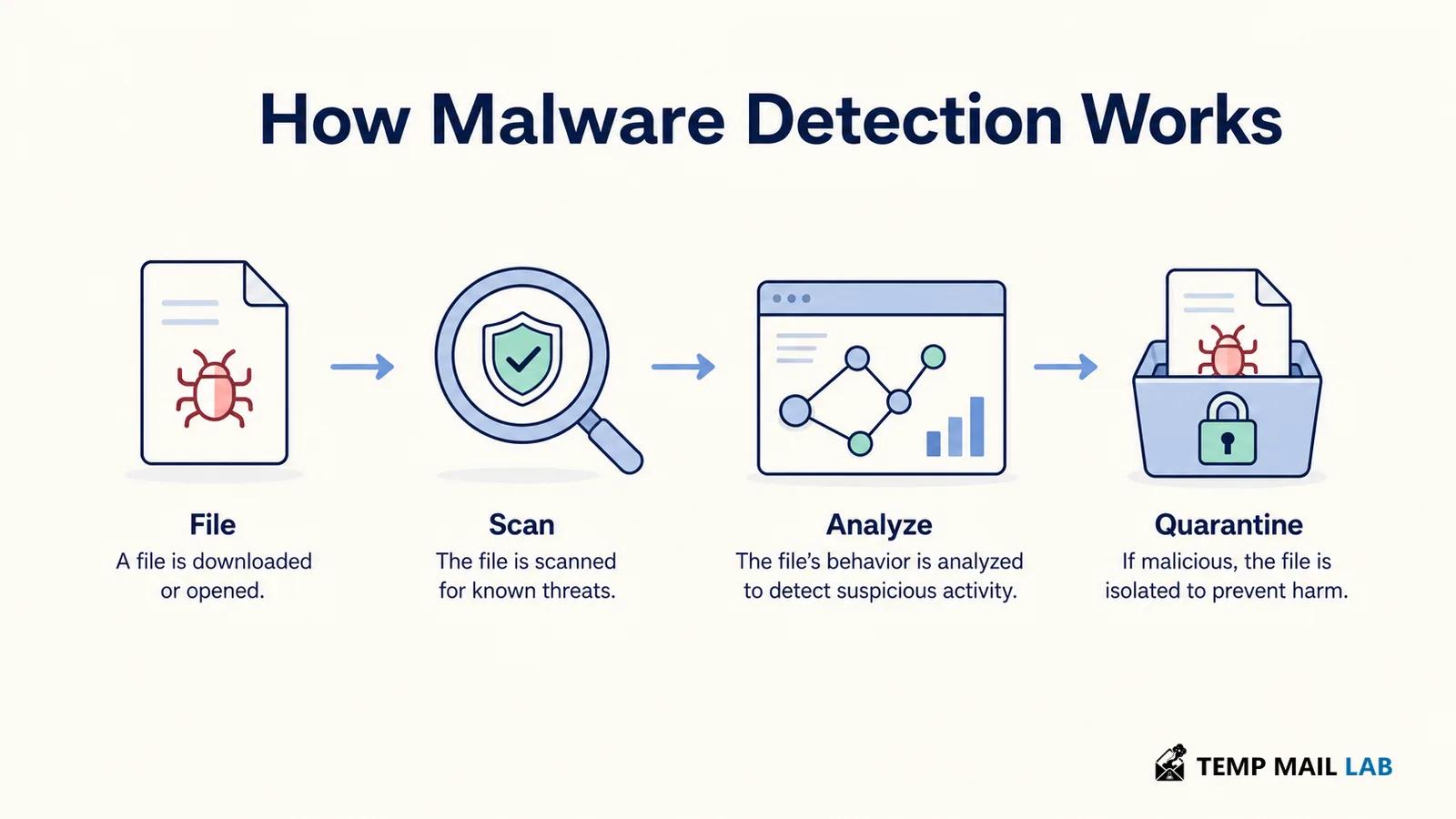
Detection means recognizing that a file, process, or behavior matches a known or suspicious pattern. A detection alert does not always mean the file has already caused damage. It may mean the tool found a risk and stopped it before execution.
Containment and removal
When a suspicious item is found, the software may quarantine it. Quarantine moves the item into a restricted area where it cannot run normally. This gives you time to review the alert or restore the file if it was a false positive. If the threat is confirmed, the tool can delete it or clean the infected file. Some infections need an offline scan, system repair, or professional assistance because malware may interfere with normal security controls.
How security software detects malicious files
No single detection method catches everything. Good security software combines several signals so that a file does not need to match one old definition exactly before it receives attention.
Signatures and known threat patterns
A signature is a recognizable pattern associated with malware that researchers have already analyzed. It may describe bytes inside a file, a code sequence, or another identifying feature. Signature detection is fast and useful for threats that are already known. It also explains why automatic updates matter: an outdated database may not recognize newer samples.
Signatures are not limited to the filename. Renaming a file does not make it safe, and a familiar-looking document can still contain harmful code. The security tool examines the file and its behavior rather than trusting its label.
Heuristics and reputation checks
Heuristic analysis looks for traits that commonly appear in malicious programs, even when the exact sample is new. Reputation systems add context such as where a file came from, whether it is digitally signed, and whether the wider security service has seen it before. These methods help identify suspicious files that do not have a perfect signature, although they can sometimes flag legitimate software.
Behavior monitoring
Behavior based detection watches what a program tries to do. A document reader that suddenly launches a script, changes many files, disables security settings, or requests unusual permissions may be treated as risky. This approach can help with new threats, but it also needs judgment. Some legitimate applications perform powerful actions during installation or updates.
A detection engine is not the same as proof that a device is clean. Security products reduce risk by combining data from files, processes, websites, and cloud services. They can still miss a new or carefully disguised threat, especially when malware changes quickly or gains enough access to interfere with the operating system.
What it can protect you from
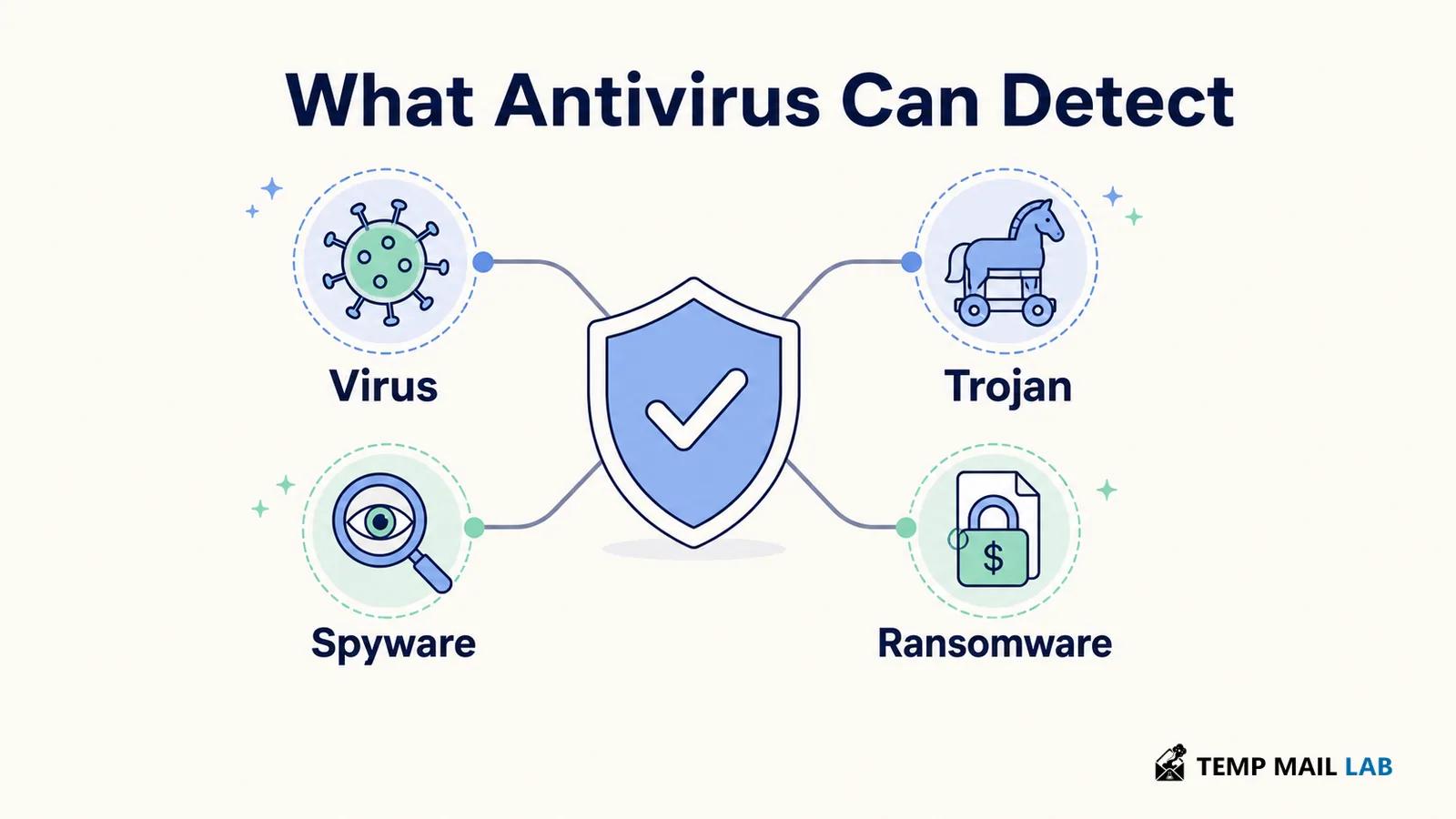
The exact coverage depends on the product, platform, settings, and speed of its updates. Still, antivirus and anti-malware tools are commonly used to reduce exposure to several important threat types.
Viruses, worms, and trojans
A virus attaches itself to files or programs and may spread when the infected item runs. A worm can spread across systems or networks without relying on the same kind of user action. A trojan presents itself as a useful or harmless program while carrying a hidden function. Security software can scan these files, block known samples, and monitor actions that suggest an infection.
Spyware and unwanted software
Spyware is designed to collect information or monitor activity without proper consent. Some security products also detect adware and potentially unwanted applications that create intrusive behavior or change settings. Detection does not mean every unwanted application is equally dangerous, so review the alert before deleting a file you recognize.
Ransomware
Ransomware encrypts or otherwise blocks access to data and then demands payment. Antivirus tools may detect the malware before it runs, stop suspicious file changes, or scan emails and removable media. They cannot promise that every ransomware sample will be blocked, and they cannot guarantee recovery of files that have already been encrypted. Backups remain necessary.
NIST's ransomware guidance recommends keeping antivirus protection active, setting it to scan emails and removable media where appropriate, applying security updates, and preparing for the possibility that a ransomware attack may still succeed. CISA's StopRansomware guide also emphasizes automatic updates and additional controls such as application allowlisting. These measures work together because malware prevention is stronger when the device, software, and recovery plan are all maintained.
Where antivirus protection stops
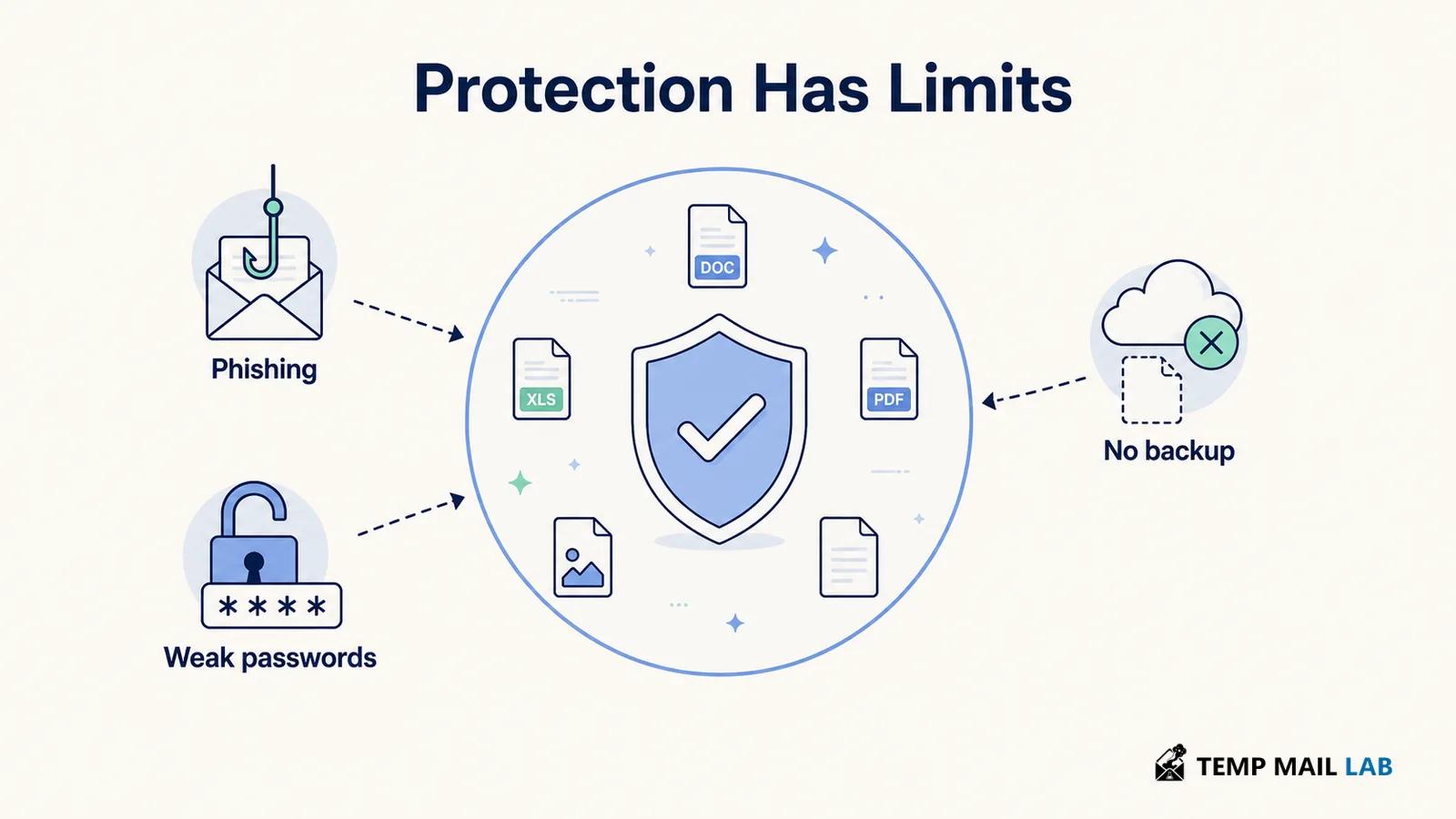
Antivirus software protects against malicious code. It does not turn every online risk into a malware problem, and it does not remove the need for judgment.
It cannot reliably stop social engineering
A phishing message may lead you to a convincing fake login page without installing a file at all. If you enter your password or payment details, an antivirus scan may have nothing to detect. Website warnings can help, but check the address, avoid unexpected attachments, and do not treat a security alert as a substitute for verifying the request.
It does not fix weak account security
A reused password, stolen session token, or exposed recovery code can let someone access an account even when the device has no malware. Use unique passwords, enable multi-factor authentication where available, and review account activity after a suspected compromise.
It does not hide your online identity
Antivirus software is also different from privacy tools. It may block a malicious website or unsafe download, but it does not automatically hide your IP address or stop every website from collecting browser and device signals. For background, see what websites can collect when you visit them.
It cannot replace backups
If ransomware encrypts your files or malware deletes them, a clean backup can be more useful than a detection alert. Keep important backups separate from the device, and make sure you know how to restore them. A backup that is always connected and writable may also be affected by an attack.
How to use antivirus software effectively
Installing a security product is only the first step. Its protection depends on whether it is active, current, and configured for the way you use the device.
Keep real-time protection and updates on
Real-time protection checks files and activity as you use the device. Automatic updates provide new threat information and security fixes for the product itself. Turning protection off for long periods, ignoring alerts, or delaying updates creates gaps that malware can use.
Scan files that make you uneasy
If a file came from an unexpected message, an unfamiliar website, or a removable drive, scan it before opening it. Run a full scan when you notice repeated crashes, unexpected pop-ups, browser redirects, unusual battery drain, or unexplained network activity. One symptom alone does not prove an infection, but several together justify a closer check.
Reduce the damage an infection can cause
Use a standard user account for routine work when your device supports it. Install software from trusted sources, remove applications you no longer need, and keep the operating system, browser, and extensions updated. Application allowlisting can add another layer in managed environments by allowing only approved software to run. It is more common in organizations than on personal devices, but the underlying idea is simple: fewer untrusted programs means fewer ways for malware to start.
Do not run overlapping security products without a reason
Two products that both provide real-time protection can interfere with each other, consume resources, or produce confusing alerts. Follow the platform and product guidance. A second opinion scanner can be useful for a targeted check, but it should not be treated as a replacement for a properly maintained primary tool.
What to do if you suspect an infection
Take the warning seriously, but do not panic or start deleting random system files. First, stop opening suspicious files and disconnect the device from the network if you see signs of active compromise, such as files changing rapidly or accounts sending messages without your action. Use a trusted device to contact your organization, service provider, or a qualified technician if the computer contains important work or personal data.
Run the security tool's recommended scan. If a normal scan cannot remove the threat, use an offline or rescue scan when your platform provides one. Do not sign in to banking, email, or other sensitive accounts from the suspected device until it has been checked. From a clean device, change passwords that may have been exposed and review multi-factor authentication settings.
If ransomware is involved, preserve evidence and check whether a reliable backup or a legitimate decryptor is available. Paying does not guarantee that files will be restored. The safest response depends on the device, the data, and whether the infection is part of a wider account or network compromise.
The practical role of antivirus software
Antivirus software is a useful layer between malicious files and your device. It can scan downloads, monitor behavior, isolate suspicious items, and remove many known threats. Its limits are just as important: it cannot verify every message, repair weak passwords, hide browsing activity, or restore files without a backup.
Keep the protection active and updated, scan files before opening questionable content, and treat unexpected requests with caution. A security program works best as part of a wider routine that includes software updates, limited permissions, multi-factor authentication, and recovery copies of important data.