
Where a QR Code Can Actually Take You
Most QR codes are uneventful.
I scan one at a restaurant and a menu opens. Another one starts a parking session. A ticketing app may use one to pull up an event pass. In those situations, the code is just a quick substitute for typing an address.
The awkward thing about QR codes is that the address is hidden inside the pattern.
Before the phone reads it, I cannot tell by looking at the squares whether the code points to the restaurant's website, a payment provider, or a completely unrelated page.
That distinction matters more when the code appears somewhere I was not expecting it.
A delivery notice, an invoice, a sticker on a parking meter, or a message telling me to verify an account can all contain perfectly functional QR codes. Scanning them will usually work exactly as intended.
The question is who chose the destination.
A QR code does not verify the website stored inside it. It simply gives the phone some information to read.
Why the destination deserves its own check
With a normal web link, there is often a little more to work with before opening it. The address might be visible in the message itself. On a computer, hovering over the link may reveal where it goes.
A printed QR code gives away almost none of that.
This is one reason QR codes are so convenient in the first place. A restaurant can fit a menu link onto a small card. A parking operator can put its payment page on a meter without asking drivers to type an address.
Changing where that code leads can require surprisingly little effort.
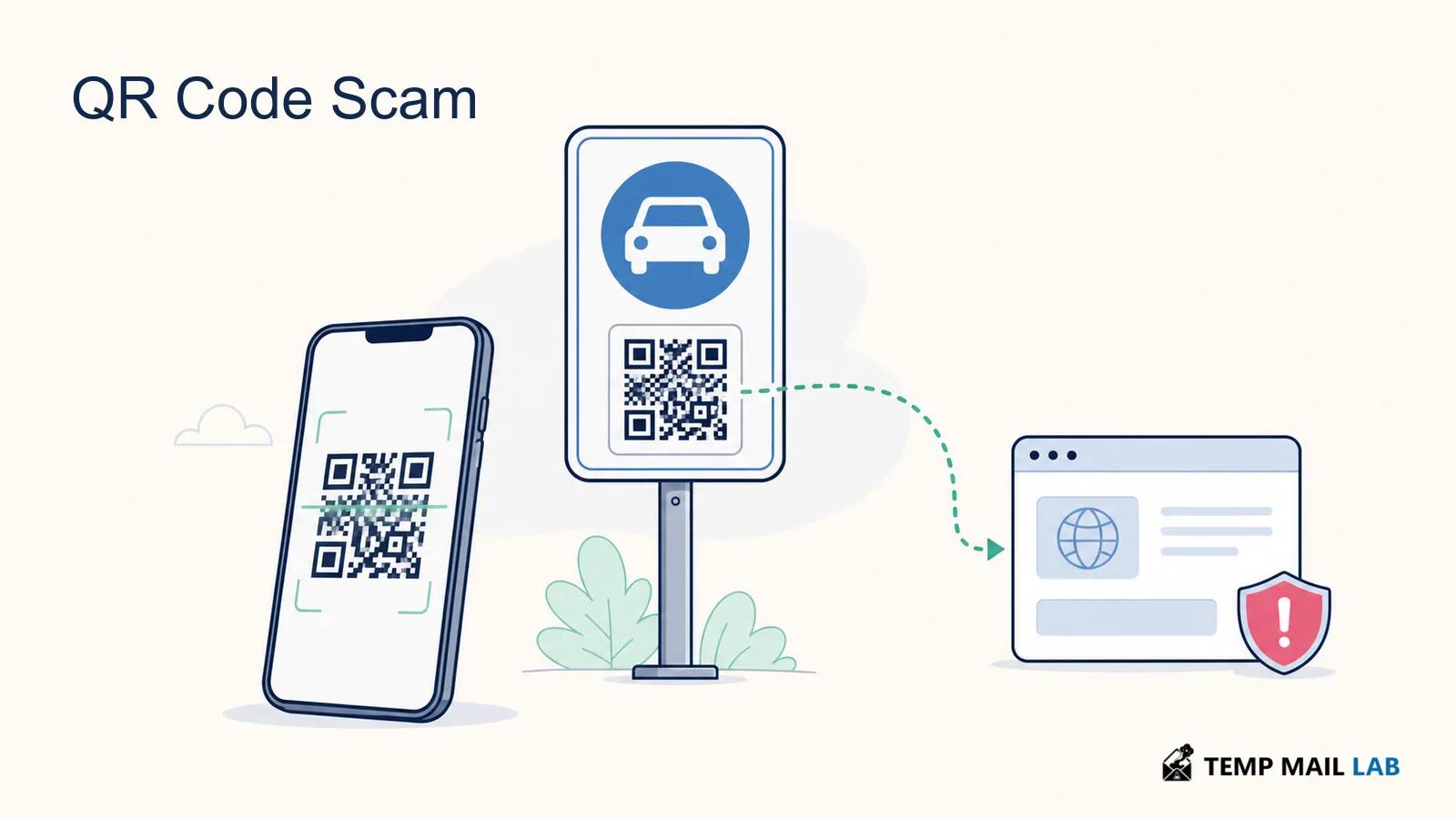
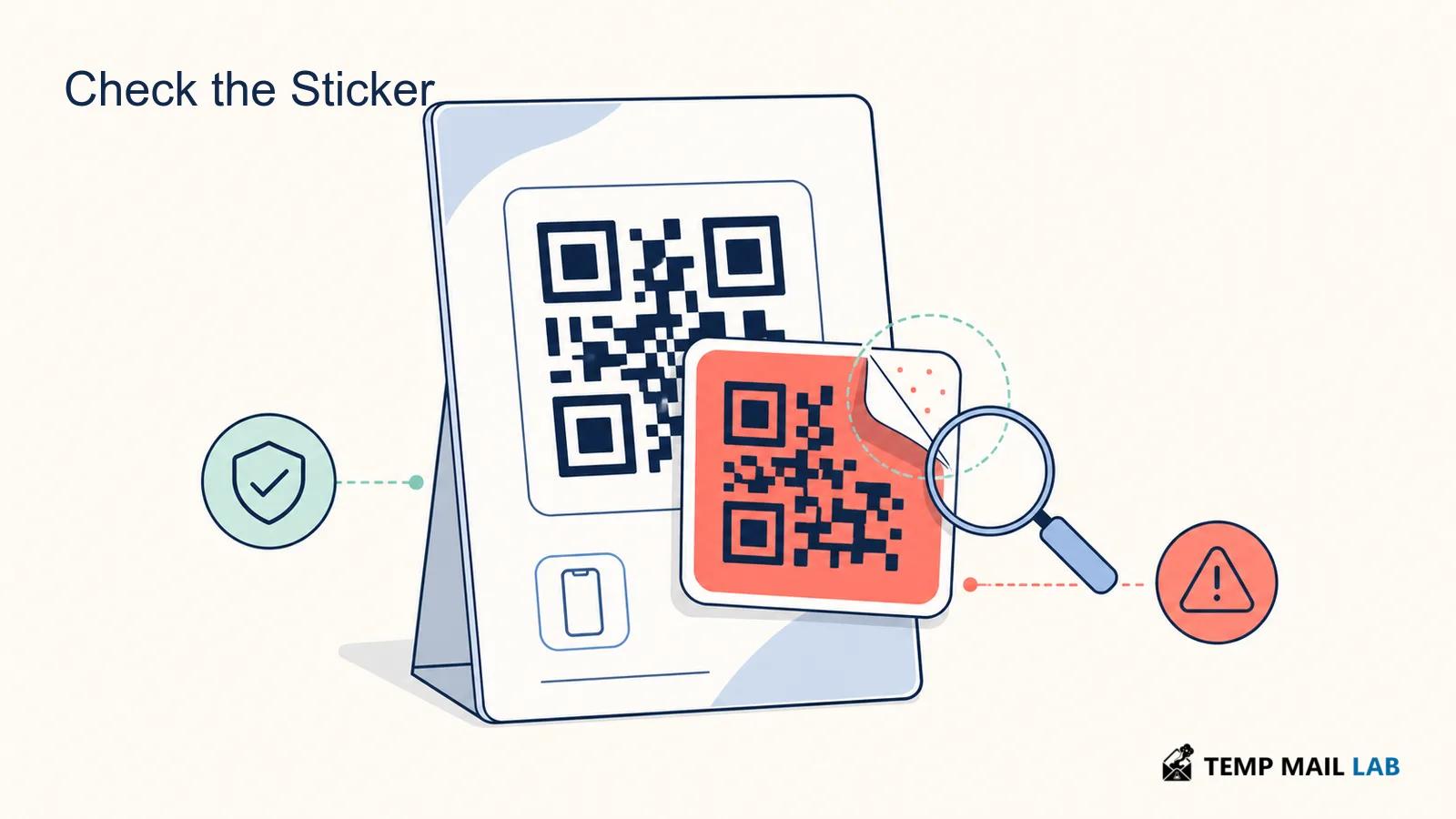
Picture a legitimate parking sign with its original QR code already printed on it. Someone does not have to reproduce the sign or interfere with the meter. A second code placed over the first one may be enough.
The new code can point anywhere.
The FTC has warned about QR-code scams that take people to websites made to resemble services they already know.
FTC warning about QR code scams
This is sometimes called "quishing," although the name is less important than the method.
The familiar phishing stories still work. A delivery supposedly needs attention, an account has a problem, or there is a small payment that must be made. Instead of putting an obvious web link in front of you, the sender places the address inside the code.
By the time the website appears, the QR code has already done its part.
The FBI has warned about this type of replacement as well, including cases involving QR codes used for payments.
FBI warning about malicious QR codes
The physical setting therefore tells only part of the story.
Finding a code on an actual parking meter tells me that I am standing beside a real parking meter. It does not tell me who created the particular sticker I am about to scan.
The same idea applies elsewhere. A restaurant does not become suspicious because one code was replaced, and a professional-looking notice does not make every destination printed or encoded inside it part of the organization named at the top.
Once my phone shows me where the code wants to go, I have something much more useful to inspect than the pattern itself.
After the scan, look at the page rather than the squares
Say you are standing beside a parking meter and scan the payment code.
The camera reads the pattern and turns it into an address. On many phones, that address appears as a preview before the browser opens it.
Nothing has been paid at this stage. The phone has simply discovered where the code points.
Tap the preview and the browser takes over.
From there, the important information is in the page and its address rather than in the QR code you started with.
The genuine parking company might ask for a registration number, a parking zone, and card information.
A fake page could ask for those same details.
That similarity is what makes the destination worth checking.
A page does not become part of the parking company because the QR code was attached to a meter, just as a webpage does not become part of Microsoft because somebody copied Microsoft's logo onto it.
Login pages create the same problem.
A page reached through a QR code can be made to resemble Google, Microsoft, a delivery company, a bank, or almost any other service.
The design is not difficult to imitate.
What deserves more attention is the address currently shown by the browser.
If the website belongs to an unrelated domain, a familiar logo does not change who controls it.
Scanning something suspicious does not mean the phone is already compromised
There is a large difference between noticing a suspicious link and giving the website something valuable.
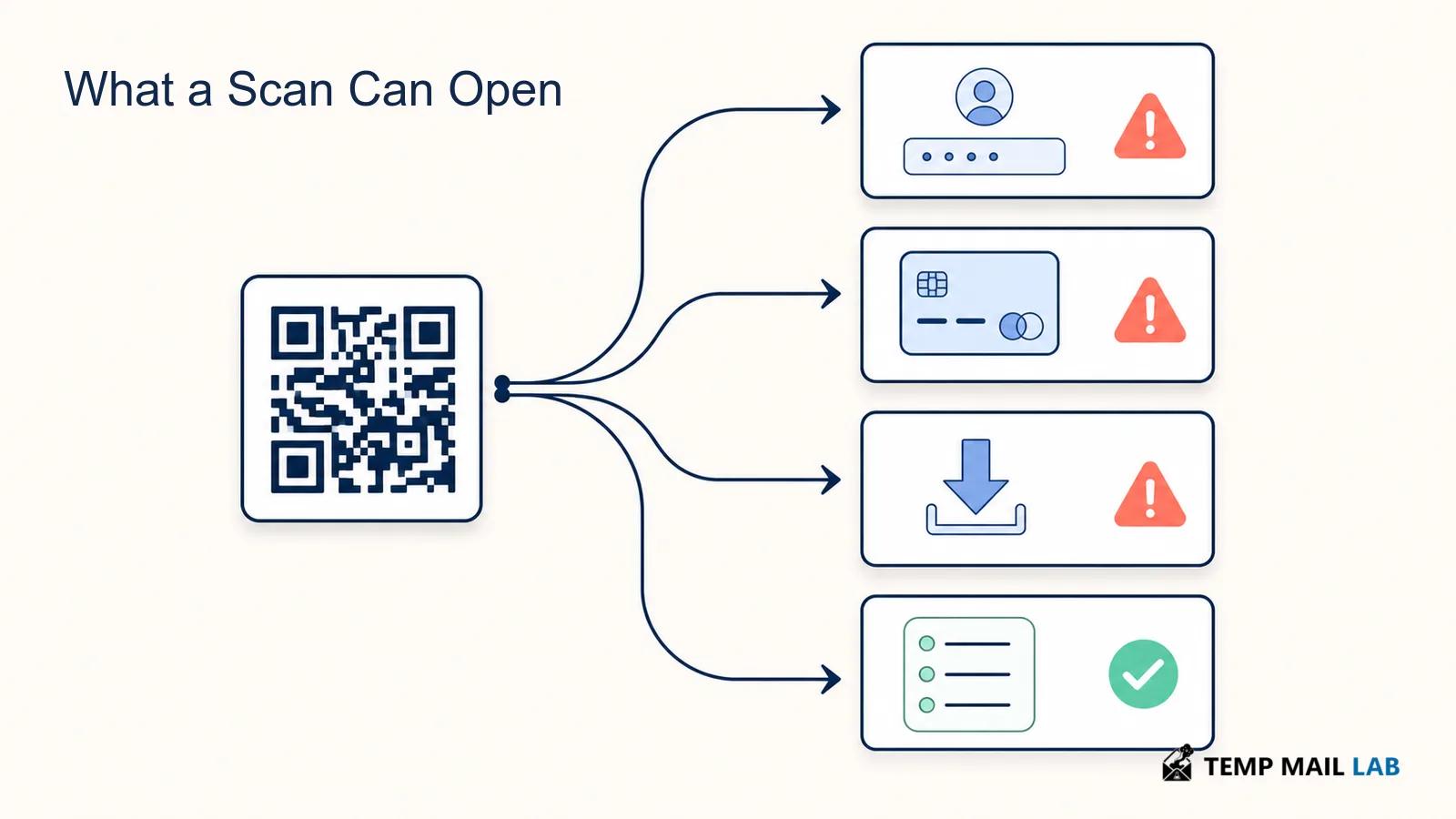
Imagine four people scanning the same malicious code.
One sees the address preview and closes it.
Another opens the page for a few seconds and leaves.
A third types an account password into the fake login form.
The fourth downloads an application after the site tells them it is required.
They have not all had the same experience simply because they scanned the same image.
What happened after the scan matters.
If the phone only displayed a URL and you stopped there, there may be nothing further to do.
Opening a suspicious webpage without entering information is also different from supplying credentials, approving a permission, making a payment, or installing software.
That distinction becomes useful if you notice something was wrong only after the page appeared. Instead of assuming that scanning alone caused a compromise, work out what you actually did after the browser opened.
Parking meters show how little a scammer may need to change
A fake parking website does not require a fake parking meter.
The meter can be genuine.
The parking zone can be genuine.
Even the instructions printed beside it can be genuine.
A small sticker placed over the real QR code may be enough to redirect the payment.
Someone arriving in a hurry may never notice the change. They expect a payment page, the phone opens something that looks like one, and the request for a card seems consistent with what they were already trying to do.
This is why a quick look at a physical QR code can be worthwhile before paying.
A replacement sticker may have a loose edge. Its print quality can differ from the surrounding label. Sometimes part of the original code is still visible underneath.
None of those signs proves that the code is malicious, and a carefully placed fake may look perfect.
They are simply easy things to notice before money is involved.
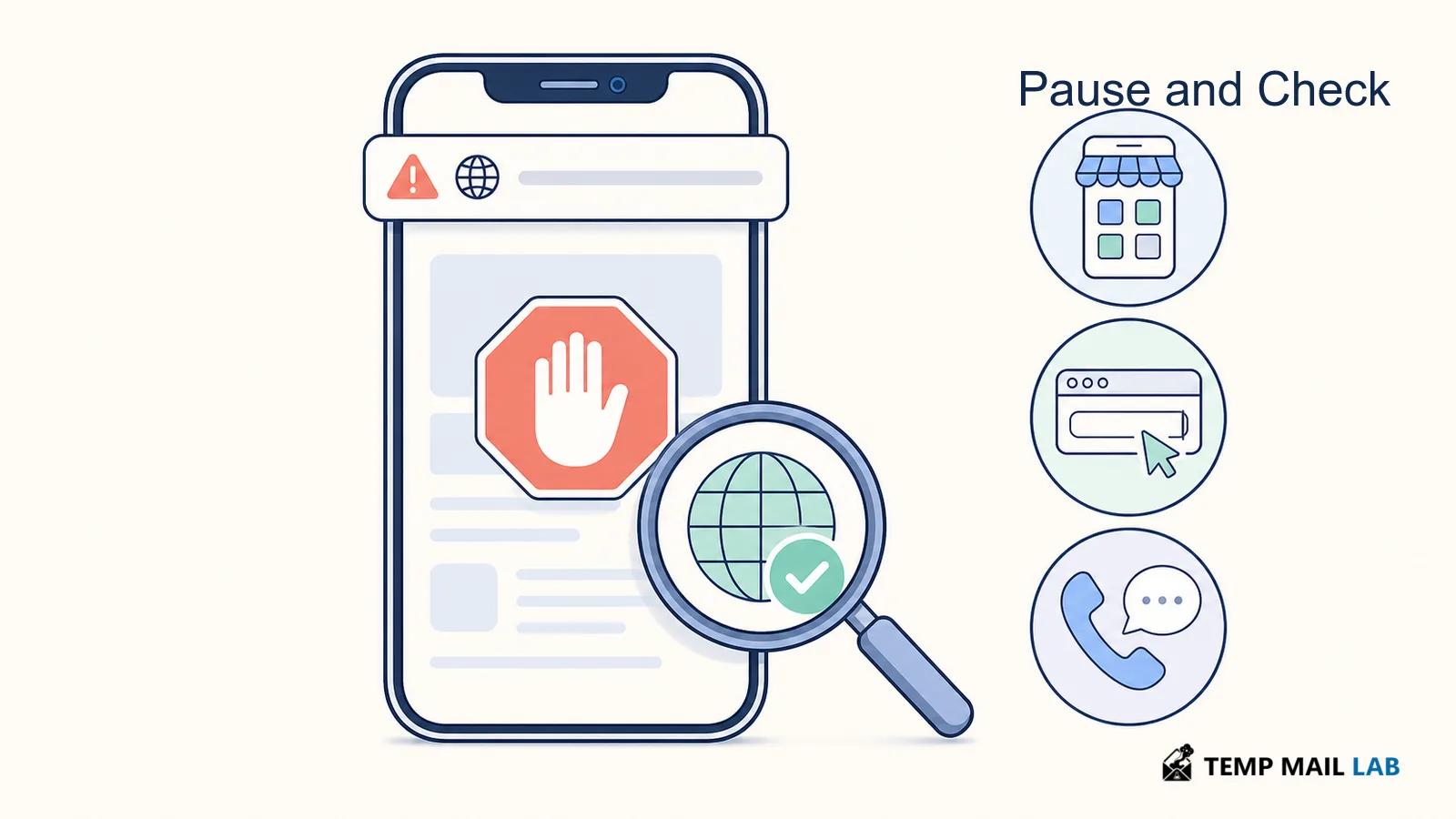
If the label looks questionable, there is usually another route. Open the parking operator's app if you already use it, type its known website into the browser, or use another payment method offered by the meter.
A restaurant menu has a much smaller job
The expected result of a restaurant QR code is usually obvious.
You want to see the menu.
Perhaps the restaurant also allows ordering or payment through the same page, but the journey should still make sense in that setting.
If the first thing you see is a request for an email password, there is no obvious connection between that request and reading a menu.
The same is true if the page insists that you install an unfamiliar application before it will show the food.
At that point there is no reason to keep investigating the page.
Ask a member of staff for the menu or open the restaurant's website independently.
That approach does not require you to determine whether the QR code was malicious. You simply stop using a route that no longer makes sense for the task.
Delivery messages rely on a story people already recognize
A missed delivery is believable because missed deliveries actually happen.
That gives a scammer an easy starting point.
A message can say that the courier needs another address confirmation or that a small fee must be paid before the parcel can be released. Instead of including an ordinary link, the message contains a QR code.
Once scanned, the page may look like the carrier's tracking site.
Perhaps it asks for the delivery address again. Later it requests a card for a small redelivery charge.
An unexpected package can create the same opportunity in a different way.
Someone receives a parcel they do not remember ordering. A card inside says that scanning the code will reveal the sender, activate a warranty, or explain how to return it.
The person scans because they are curious rather than worried about a missed delivery.
In both cases, there is a route that does not depend on trusting the QR code.
Use the carrier's official application or open the carrier's website the way you normally would.
Enter the tracking number there if you have one.
A real delivery should still exist in the carrier's system even when you ignore the code that told you about it.
A real sign-in flow can use QR codes too
QR codes are used in legitimate authentication systems.
You might open an official website on a computer and see a code for linking the account to a phone.
Messaging applications use similar flows.
That is quite different from receiving a random code in an email saying that your account must be verified immediately.
The starting point matters.
If you opened the company's app or typed its website yourself and the service then showed you a QR code, you already have useful context.
If an unexpected message provides the code and tells you to sign in, the code itself proves nothing about who sent it.
The resulting page has to stand on its own.
Look at the address.
If you are uncertain, close it and open the service normally.
You do not lose anything by taking the longer route.
If there is genuinely an account problem, it will still be there when you reach the account through the official app or site.
Payment requests are easier to verify somewhere else
A demand for money often arrives with a reason not to wait.
The utility bill supposedly failed.
A parking charge is about to increase.
A fine needs to be paid today.
The notice then provides a QR code that promises to settle everything quickly.
Instead of deciding whether the page behind that code is convincing enough, there is usually a simpler check available.
Open the provider the way you normally would.
A genuine balance should still appear in the company's app or account page. A real fine should still exist when you reach the authority through its known website. If you need to call, use a number you already have or one obtained independently rather than the number printed on the notice you are trying to verify.
This matters because every detail inside a suspicious message comes from the same source.
The QR code, phone number, payment instructions, and reassuring logo can all agree with one another and still be wrong.
Independent confirmation is useful precisely because it comes from somewhere else.
For a payment request, I would rather spend an extra minute reaching the real account than use a shortcut supplied by a notice I was not expecting.
Reading the address your phone shows
Many phones give you a brief look at the URL before the browser opens it.
That preview is easy to ignore, particularly when you are scanning something as routine as a menu or parking code.
It becomes much more useful when the page is about to ask for a password or payment.
The first thing I would look at is the domain.
Suppose the page carries a familiar company name in large letters. That tells you something about the design of the page, but not necessarily about who operates it.
The web address gives you another piece of information.
Scam domains sometimes include the name of the company they are copying. A familiar word can appear at the beginning of the address, somewhere in the middle, or as part of a longer name.
That does not make the domain belong to the company.
You may also notice a small spelling change, an unusual ending, or an address with no recognizable connection to the service at all.
There is no need to become an expert in URL syntax every time you scan a code. If you expected to reach a bank and the address looks unrelated to that bank, stopping is enough.
Shortened links remove some of this visibility.
Services that shorten URLs have many legitimate uses, so a short link is not evidence of a scam. It simply means the final destination is not obvious from the address in front of you.
How much that matters depends on the job.
I might be comfortable following a restaurant's short menu link after seeing it on the restaurant's own table.
I would be much less interested in using an unexpected short link to enter banking credentials or settle a bill.
For those tasks, opening the service through a route I already know is usually easier than trying to determine where the shortened link eventually goes.
The request should fit the situation
A useful check is to forget the appearance of the page for a moment and think about the job.
You wanted to see a menu.
Why is a bank password required?
You wanted to pay for parking.
Why does the page want you to install software?
You wanted to track a parcel.
Why is the carrier asking for a large card payment through a website you have never seen before?
Sometimes an unusual request has a legitimate explanation.
That is possible.
The point is that the explanation should exist.
A QR code does not turn a strange request into a normal one.
Downloads deserve more care
A website reached through a QR code can also offer a download.
Perhaps it says an application is required to continue.
That can be legitimate. Businesses sometimes promote their official apps with QR codes.
But if you need an application, opening the App Store or Google Play yourself gives you another way to find it.
The FBI recommends using the phone's application store rather than downloading an app through a QR code when there is doubt about the source.
That reduces the chance that an unexpected website controls the download path.
Files deserve similar treatment.
If a page unexpectedly downloads something, you do not need to open it simply to find out whether it was safe.
First work out why the file appeared.
A QR code used to show a restaurant menu has little reason to download an executable file.
A delivery page should not need you to install an unknown program to view tracking information.
Fake CAPTCHAs can make the situation worse
Some malicious websites do not stop at asking for a password.
They show a CAPTCHA or verification screen that tells you to perform unusual steps on the computer.
Perhaps it asks you to open a system dialog, paste a command, or run something manually.
That is not normal CAPTCHA behavior.
The page may be trying to persuade you to execute malware yourself.
If a QR code leads to a site that asks for commands, scripts, strange downloads, or unusual system actions, close it.
If you already followed those instructions, the situation is different from merely viewing the page.
Our guide to fake CAPTCHA and ClickFix malware explains what to do in that case.
What if you already entered a password?
Do not return to the suspicious page to fix the problem.
Go to the real service separately.
Use its official app, a bookmark, or an address you type yourself.
Change the password there.
Then look at recent account activity and active sessions if the service provides those controls.
If you reused that password on another account, change it there too.
Password reuse matters because somebody who receives one valid password can try it against other services.
Multi-factor authentication is useful, but it does not make phishing impossible.
A fake page can collect a password and then immediately ask for the one-time verification code.
If you receive a code during a sign-in you did not intentionally begin, do not approve the request simply because the code itself came from the real company.
The code belongs to the login attempt.
Make sure the login attempt belongs to you.
What if you entered payment information?
Use a known route to contact the bank or card issuer.
The number printed on the back of the card is better than any telephone number shown on the suspicious page.
Explain what happened and what information you entered.
The bank can tell you whether the card should be blocked or replaced and whether any transactions need attention.
If money has already been sent, contact the payment provider quickly.
Keep screenshots, transaction references, the original message, and other information you already have.
Do not revisit the suspicious site simply to gather evidence.
The evidence you have is enough to begin reporting the incident.
What if you installed something?
This deserves more attention than opening a normal webpage.
If you can identify the application, review where it came from and which permissions it received.
Remove it if you determine that it should not be there.
Run the security checks already provided by the phone or by security software you trust.
Install operating-system updates if they are waiting.
If the device's condition is uncertain, use another trusted device for important password changes and financial accounts until you are comfortable that the phone is safe.
A legitimate QR code usually has a boring explanation
Most QR codes you encounter will not be scams.
A restaurant wants to show a menu.
An event wants to display a ticket.
A business wants you to open its application.
A parking operator wants to begin a payment session.
These uses fit the place where you find them.
The resulting page usually fits too.
That ordinary connection between the code, the location, and the request is useful.
If you scan a restaurant code and reach the restaurant's domain showing the menu you expected, there is not much mystery.
If that same code opens an unrelated website asking for a Microsoft password, the story no longer fits.
You do not need a security warning from the phone to notice that.
There is also no single visual sign that proves a code is legitimate.
A professionally printed QR code can be malicious.
A badly printed one can be harmless.
The useful clues come from the surrounding situation and from the destination after the scan.
A QR code is only one step in the journey
This is probably the simplest way to think about the whole subject.
The code gets you somewhere.
Once you arrive, judge that place on its own.
Where did the code come from?
What domain opened?
Does the request fit what you were trying to do?
Are you being asked for something valuable such as a password, card information, verification code, download, or payment?
If something does not fit, you rarely have to solve the problem from inside the page.
Close it.
Open the company's application.
Type the address yourself.
Call a number you already know.
A genuine bill, account problem, delivery, parking session, or reservation does not disappear merely because you refused to use one QR code.
Can scanning a QR code hack a phone?
Scanning one does not automatically mean the phone has been compromised.
The code may simply reveal a web address.
Opening an ordinary webpage is also different from installing software, running a command, approving a permission, or entering account information.
What happened after the scan is the important part.
If you only saw the destination and stopped, that is a very different situation from following instructions provided by a malicious page.
Is it safe to pay through a QR code?
It can be.
QR payments are used legitimately every day.
The question is whether you can connect the payment destination to the business you intended to pay.
A code inside an official application or a payment process you deliberately started has useful context.
An unexpected code claiming that you owe money deserves more verification.
For that situation, going directly to the provider's normal app or website is usually easier than trying to prove the QR page is genuine.
What if the QR code opens a login page?
Look at where the login page is hosted.
If you were not expecting the sign-in, close the page and reach the service normally.
Do not enter a password simply because the page carries the right logo.
If you already entered credentials, change them through the real service and review the account for activity you do not recognize.
The useful habit is not to become suspicious of every QR code you see.
It is to remember what the code can and cannot tell you.
It can carry a destination.
It cannot prove that the destination belongs to the organization printed beside it.
That check still belongs to you.