
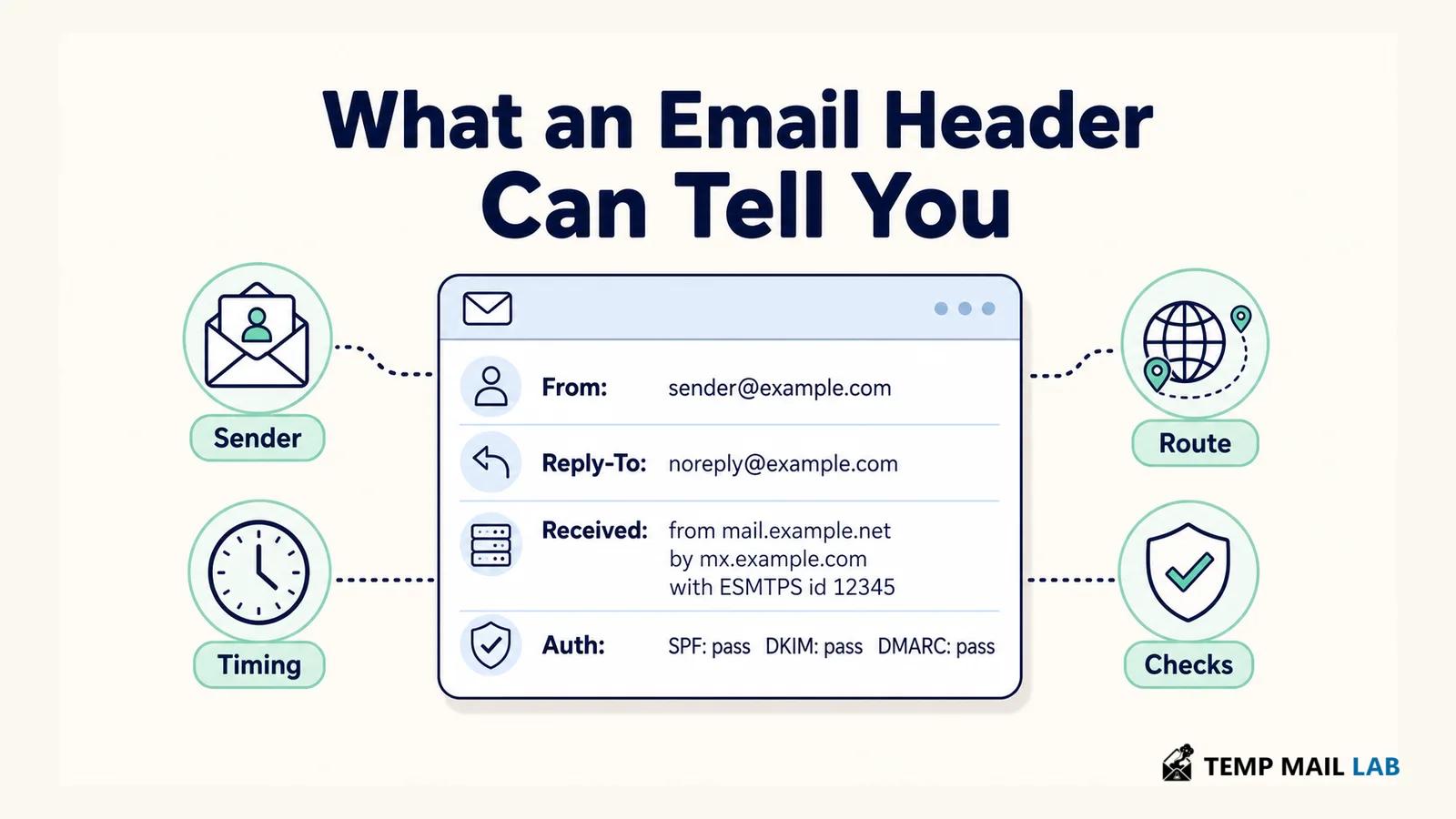
What an Email Header Can Actually Show You
An email arrives from a company you know.
The name looks right. The logo looks right. The message says there is a problem with an invoice and asks you to reply before the end of the day.
Then you notice something odd.
Press Reply and the address is not the one shown at the top of the message.
That is the sort of moment when an email header becomes useful.
The normal inbox view hides most of the machinery behind email. You see the sender, subject, time, and message because those are the parts needed for everyday reading.
Behind that view is a longer record containing addresses, timestamps, server information, message identifiers, and results from authentication checks.
Some of those fields came from the sending side.
Others were added later as the email passed between mail systems.
The distinction matters because not every line in a header deserves the same amount of trust.
Looking at the full message
In Gmail, open the email, use the three-dot menu beside Reply, and choose Show original.
Google: Show original in Gmail
Other mail clients may call the same thing View source, View raw message, Message source, or Internet headers.
The result can look terrible if you have never opened one before.
There may be several screens of text even though the email itself contained two sentences.
You do not need to decode all of it.
If I opened the header because the sender looked strange, I would begin with the sender-related fields.
If the question was why a message took four hours to arrive, I would look at the delivery timestamps.
Authentication results matter when I want to know how the receiving provider evaluated the domains involved.
The Internet Message Format defines many of the fields you will see here, including From, Reply-To, Date, Message-ID, and trace fields used during delivery.
Internet Message Format — RFC 5322
That gives the header structure.
It does not turn every field into proof.
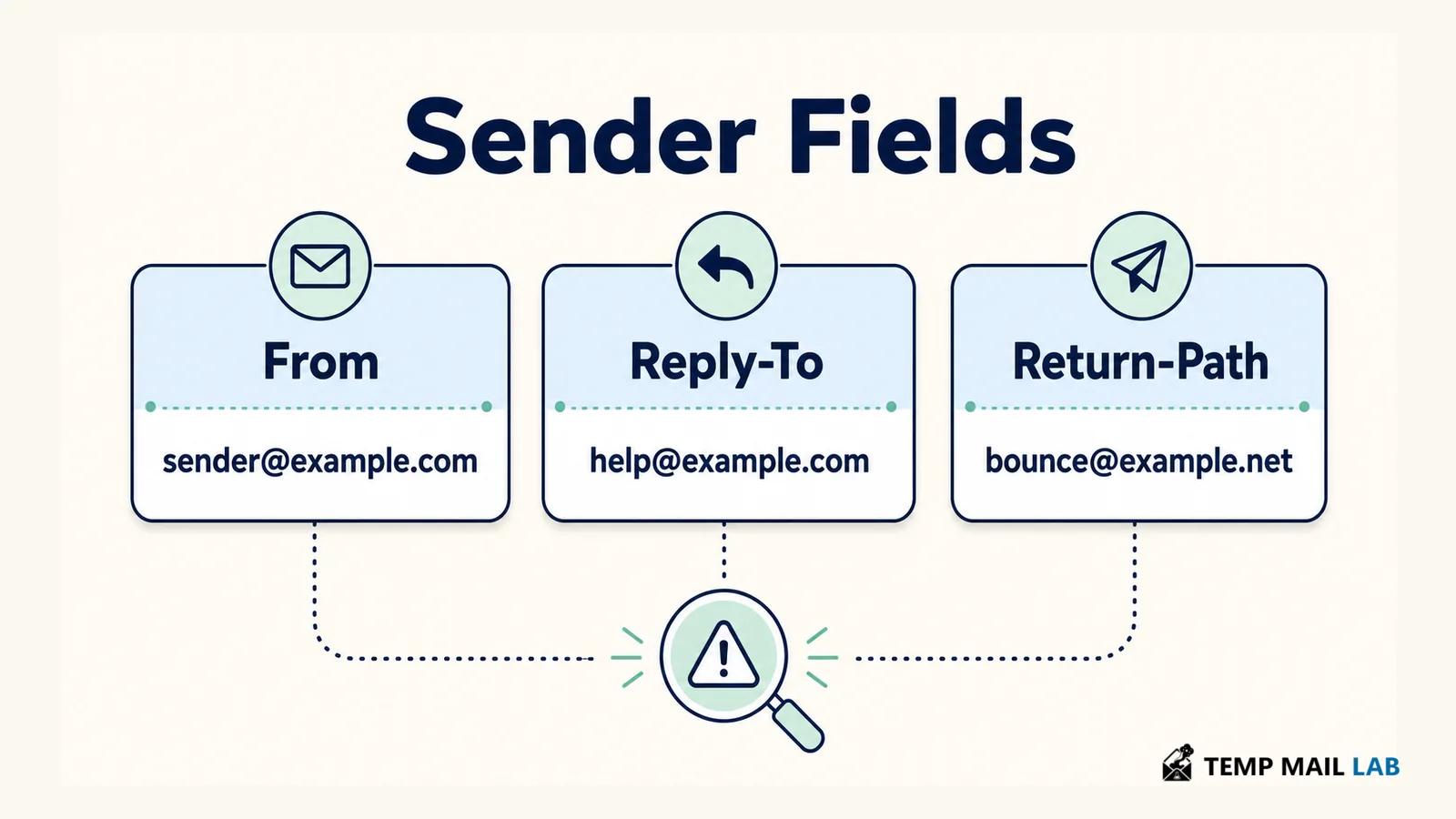
From is the address the message presents to you
Take an email that appears like this:
Microsoft Accounts <security@micros0ft-alerts.example>
The display name is easy to notice.
It is also easy for a sender to choose.
Someone can write "Microsoft Accounts," "Your Bank," a coworker's name, or almost anything else in that part of the message.
The address deserves more attention.
A misspelling can be tiny.
accounts@example.com
accounts@examp1e.com
Those two addresses belong to different domains even though they may look almost identical when read quickly.
An unfamiliar domain is not automatically suspicious either.
A company might use another business to send receipts, marketing messages, support notifications, or account alerts.
Large organizations often have several legitimate domains as well.
So the useful question is not simply whether the domain is familiar.
It is whether the address makes sense beside everything else the message is claiming.
Reply-To can send your answer somewhere else
From and Reply-To solve different problems.
The From field presents the author of the message.
Reply-To tells your mail application where a response should go.
Those two addresses can legitimately differ.
A store might send receipts from an automated address while customer replies are handled by a support platform.
A newsletter may be sent by a mailing service while responses go directly to an editor.
Nothing about that arrangement is unusual.
Now put the same difference into another kind of message.
An email appears to come from someone in your company.
It asks you to reply with payroll information.
The From address uses your company's domain, but Reply-To points to an unrelated personal mailbox.
That deserves more attention.
You do not have to prove that the message is fraudulent before deciding not to use the address it supplied.
Open the company chat and ask the person there.
Use the internal directory.
Call a number you already have.
The mismatch in the header gives you a reason to verify the request somewhere else.
Return-Path belongs to the delivery side
Return-Path often looks like another sender field, which makes it easy to overinterpret.
It is associated with the envelope used while the email is being delivered and commonly relates to where delivery failures should go.
A business using an outside email platform may therefore have a Return-Path belonging to that platform.
It can differ from From without anything being wrong.
You may also find a Sender field when one system sends mail on behalf of another mailbox or identity.
None of these addresses should be treated as a secret field that reveals the one "true" sender.
They describe different parts of the message and its delivery.
Received lines are added during the trip
A message does not normally jump straight from somebody's laptop into your inbox.
There may be several mail systems in between.
Suppose a business uses an email provider.
Its provider hands the message to another service that filters mail.
That service then delivers it to Gmail.
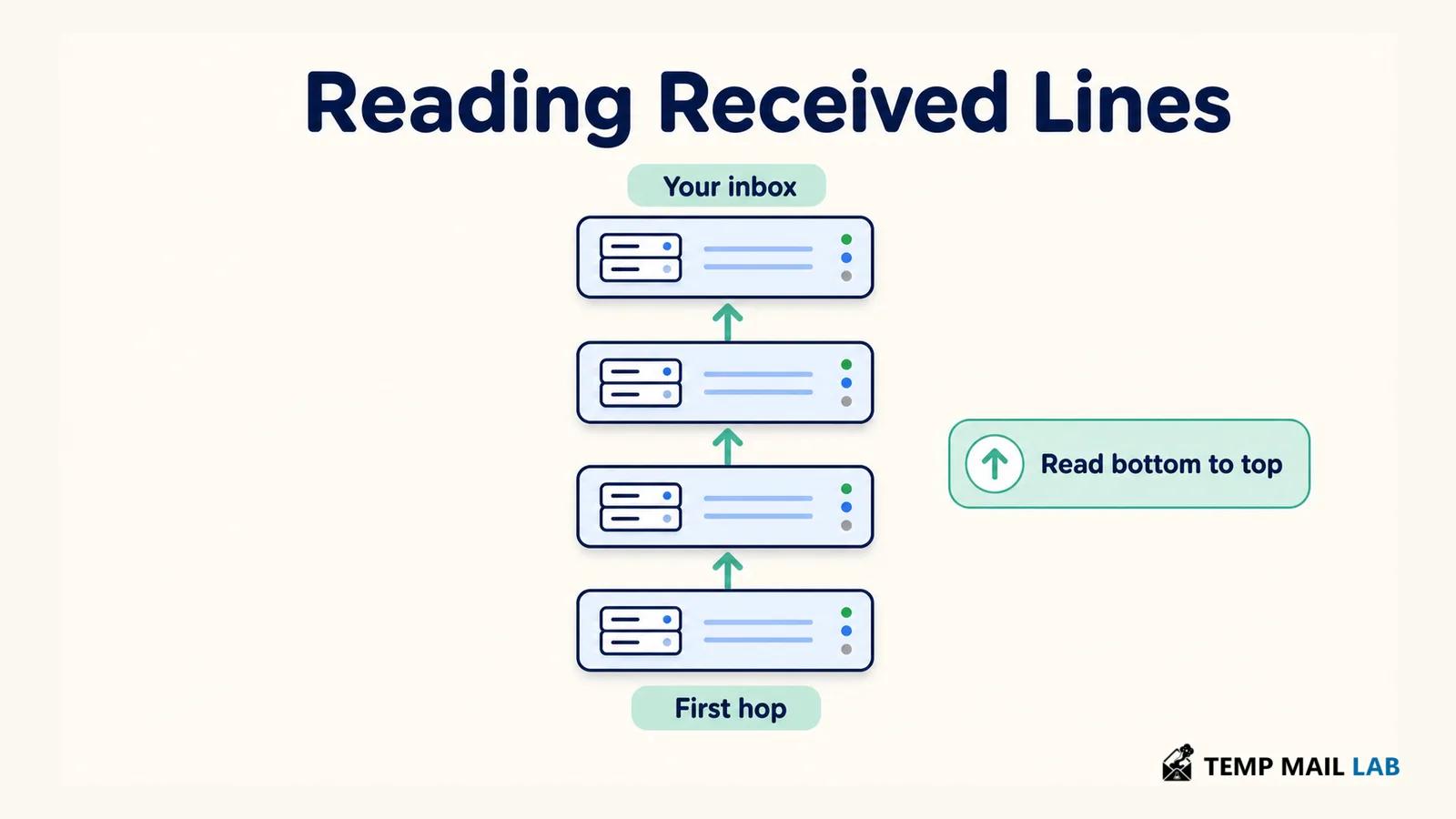
Each receiving system can add a Received line recording part of that handoff.
The result is a visible trail through the mail infrastructure.
One thing about that trail is slightly counterintuitive.
The newest Received line normally appears above the older ones.
If you want to follow the visible journey from an earlier stage toward your mailbox, start near the bottom and work upward.
Imagine seeing these stages in a header:
mail.sender.example
security-gateway.example
gmail.com
That does not necessarily mean three different people touched the email.
It may simply describe three systems involved in moving it.
A mailing list can create another hop.
Forwarding can add more.
A company security gateway can appear between its employees and the outside internet.
This is why a long Received section is not a warning by itself.
An IP address in the header is not necessarily the sender's computer
Received lines often contain IP addresses.
That can make them look more revealing than they really are.
Suppose you find one address in the middle of the route and look it up.
It belongs to Microsoft.
That may simply mean Microsoft operated the server involved in that step.
Another address could belong to Google, an email security company, a hosting provider, or a mailing platform.
The route has to be read as mail infrastructure rather than as a list of computers used personally by the person who wrote the message.
In some mail setups, information closer to the original connection may be present.
In others it is not.
So I would avoid treating a random IP in the header as reliable proof of where the human sender lives or which device they used.
The route is still useful.
It is just useful for a different question.
Does the path make sense for this email?
A message claiming to come from a company may pass through that company's provider and then through your own provider.
That is easy to understand.
A completely unrelated path may deserve more investigation, especially when other details already look wrong.
Late delivery leaves clues in Received timestamps
The Date field may say an email was written at 9:10 AM.
Your inbox might not receive it until 12:30 PM.
That sounds suspicious until you look at the route.
Perhaps the first server accepted the message at 9:11.
A later system did not pass it onward until noon.
Now you know that the message spent most of the missing time between those two stages.
Mail queues can do this.
Temporary delivery problems can do it.
Forwarding can add delays.
Different time zones can also make two timestamps look stranger than they are.
This is why the message's Date and the timestamps inside Received answer slightly different questions.
Date comes from the sending side.
Received times are written later by systems involved in the journey.
Neither should automatically be ignored, but they do not carry exactly the same weight when you are trying to find where a delay occurred.
Authentication-Results tells you what the receiver checked
A modern header often contains a field called Authentication-Results.
Inside it you may find lines such as:
spf=pass
dkim=pass
dmarc=pass
Those results are useful, but there is an important detail before we even get to SPF or DKIM.
You need to know which system wrote the result.
Text that looks like an authentication result can exist earlier in a raw message.
The result that matters most to you is normally the one added by the receiving provider you trust when it evaluated the email.
Once that is clear, the three common checks become easier to understand.
SPF asks about the server and an email domain
SPF allows a domain to publish information about which servers are permitted to send mail for it.
When an email arrives, the receiving system can compare the sending server with that policy.
SPF — RFC 7208
If SPF passes, the server was acceptable for the identity being checked.
There is a catch.
That identity does not have to be the same domain displayed in the visible From field.
Suppose the email says:
From: billing@example.com
Example.com might still be using an outside company to deliver its mail. If that provider uses its own envelope domain, the SPF line can quite normally show a pass for the provider instead.
That can look odd the first time you see it, but nothing is inconsistent. SPF checked the delivery identity it was given. The From address is another field in the message.
DKIM adds a signature to the message
DKIM works in another way.
A sending system signs selected parts of an email.
The recipient's provider can use information published by the signing domain to test that signature.
DKIM — RFC 6376
A valid result gives you evidence that the signed portions have not been modified in a way that breaks the signature since the message was signed.
You can also see the domain associated with that signature.
That is helpful, especially when you are trying to understand which system handled the email.
But a DKIM pass does not mean that the message must be honest.
Suppose an online newsletter platform correctly signs every email its customers send.
One customer sends unwanted mail.
The signature can still be valid.
Or consider a company mailbox that has been compromised.
A thief sends a message through the company's own system.
The company's DKIM signature may work perfectly because the infrastructure itself is still legitimate.
DKIM tells you something about signing.
It does not know why the message was sent.
DMARC looks at the domain people actually see
DMARC helps connect authentication to the From domain visible in the message.
DMARC — RFC 7489
Imagine again that the email shows:
From: accounts@example.com
SPF passes for a different domain belonging to a mailing platform.
That SPF result can be technically correct while the visible example.com address still needs an authentication relationship of its own.
DMARC checks alignment.
It asks whether a domain authenticated through SPF or DKIM lines up appropriately with the domain shown in From.
That makes an aligned DMARC pass a useful signal when somebody may be impersonating a domain.
A fail can be useful too, but it needs context.
Forwarding can interfere with SPF because the message is being resent by another system.
A mailing list may modify parts of an email and cause a DKIM signature to stop verifying.
There are also legitimate organizations with messy mail configurations.
One failure should therefore not be treated as proof of a scam without looking at the rest of the message.
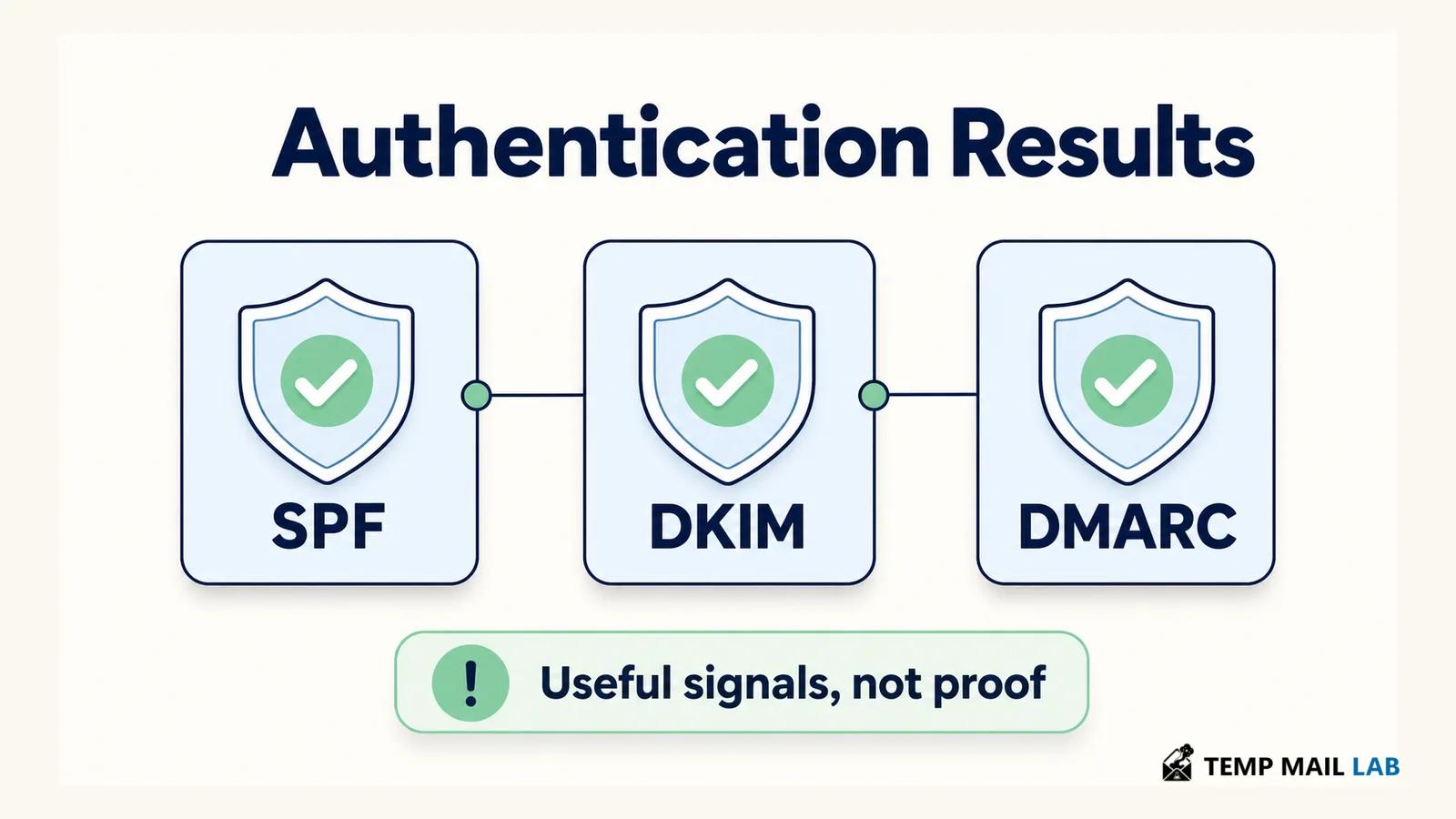
Passing every check still does not make an invoice real
Suppose a supplier normally emails invoices from:
accounts@supplier.example
One day you receive a message from exactly that address.
The route looks normal.
SPF passes.
DKIM passes.
DMARC passes.
The email says:
"We have changed banks. Please send the outstanding invoice to the new account below."
A header cannot tell you whether the employee who normally controls that mailbox sent the message.
Perhaps somebody stole the mailbox password.
Perhaps an attacker gained access to the supplier's email system.
If they are sending through the real account, authentication can continue to work.
Nothing is being spoofed at the domain level.
The request itself is the problem.
This is one of the reasons business email compromise can be convincing.
A technically genuine email can contain instructions that the real organization never approved.
In that situation, a phone number already stored for the supplier becomes more useful than another hour spent staring at the header.
Call them.
Ask whether the banking information actually changed.
The same logic applies to a coworker asking for a password, a manager requesting a verification code, or a real account sending an unexpected file.
Authentication helps answer where the email came through.
It does not prove who was sitting behind the account at that moment.
Message-ID is useful without being an identity card
Most headers also contain a Message-ID.
It is a machine-readable identifier associated with a particular message.
Mail systems use Message-ID values for tasks such as organizing conversations and identifying messages.
The value often contains something that looks like a domain.
That domain may offer a clue about the system that created the message.
It is not something I would use on its own to identify a sender.
Date works in much the same way.
It is useful.
It just has a limited job.
To and Cc can answer simpler questions
Look at To and Cc and you may discover that an email presented as a personal message was actually sent to a group.
That does not necessarily make it fraudulent.
Sales messages, mailing lists, announcements, and ordinary group email all work that way.
In-Reply-To and References can help explain why a message appears inside an existing thread.
Subject can look unusual in raw source when characters are encoded.
These fields sometimes help explain a confusing message.
They are rarely the first things I would use to decide whether a request for money is legitimate.
The details become more useful when they begin to agree
Consider one message.
The display name says it comes from a familiar retailer.
The domain in From contains a small spelling change.
Reply-To goes to a free email account.
The early Received lines do not resemble the retailer's usual mail systems.
DMARC does not align.
Each clue has possible explanations when considered alone.
Taken together, the email now has several problems that all point in the same direction.
Another message may initially look strange for a different reason.
Its Return-Path belongs to a mailing company you have never heard of.
Then you discover that the retailer genuinely uses that provider.
DKIM is valid.
DMARC aligns.
The delivery route fits the service.
Reply-To leads to the retailer's customer-support system.
The unfamiliar Return-Path no longer looks nearly as interesting.
That is how headers are most useful.
Not as a collection of isolated red flags.
As a way to see whether several technical details make sense together.
The request should determine how cautious you become
A marketing email with an odd header is not the same problem as an email asking you to transfer $20,000.
The header could be identical in complexity.
The consequence of making a mistake is not.
If an ordinary newsletter has a strange routing detail, I may never investigate further.
If an email says my bank account has a problem, I can ignore the link and open the banking app.
If an employer supposedly sent an unusual request, I can ask them in the company chat.
If a supplier says its payment details changed, I can call a number already stored in our records.
None of those checks requires proving the email malicious.
They simply let an important request prove itself through another route.
If you want to see more of the systems that normally carry a message between the sender and your inbox, our guide to how email moves from sender to inbox looks at that journey in more detail.
Some suspicious messages move beyond ordinary phishing and try to persuade people to run commands or follow unusual verification instructions. Our guide to fake CAPTCHA and ClickFix malware covers that separately.
A header cannot inspect the thing you click next
Imagine that every sender field looks correct.
Authentication passes.
The route makes sense.
The message contains a button.
Nothing in the header can guarantee what will happen after you press that button.
The website might belong to the sender.
It might redirect elsewhere.
The account sending the email could have been compromised.
The same limitation applies to attachments.
A header may tell you about the message carrying a file.
It does not make the file harmless.
This boundary is important because header analysis can create false confidence when too much is expected from it.
The header is describing email.
It is not a complete analysis of every object or request inside the email.
Sharing a raw header also shares information
Suppose somebody on a forum asks you to paste the full raw message so they can help investigate it.
Before doing that, look at what you are about to share.
Headers can contain email addresses.
They contain Message-ID values.
They may expose server names, routing information, and other identifiers.
If you paste the body as well, there may be account details, private messages, verification codes, invoices, or personal information.
Use tools from your mail provider when they are enough for the job.
At work, a mail administrator or security team may be able to investigate without you sending the message to an unrelated public service.
If somebody genuinely needs the header, send the header rather than everything attached to it.
Remove unrelated private information when doing so will not interfere with the question.
How I would use a header on a suspicious message
Suppose an invoice arrives unexpectedly.
I would not begin by clicking the payment link.
I would open the original message.
First I would look at From.
Then Reply-To.
If those two tell noticeably different stories, that already gives me something to investigate.
Next comes Authentication-Results.
Which domain did SPF evaluate?
Which domain signed with DKIM?
What does DMARC say about alignment with From?
If the sender claims the message was delayed, or if the route itself seems important, I would read the Received entries from the older ones upward.
By then I may have a much clearer technical picture.
Perhaps everything fits.
Perhaps several details do not.
Either way, if the invoice contains an unexpected request to change payment information, I would still verify that change outside the email.
The header helped me understand the message.
The supplier still has to confirm the payment request.
That distinction is probably the most useful thing to remember about email headers.
They can show you quite a lot about how a message was presented, authenticated, and transported.
They cannot tell you what to trust without the rest of the context.